How to Set Stop Losses on Solana: Limit Orders Across Every Trading Bot (2026)
Learn how to set stop losses and limit orders on Solana using every major trading bot — BullX, Axiom, Photon, Trojan, Jupiter, and more. Step-by-step instructions, tips, and common mistakes to avoid.
MadeOnSol··Updated · 24 min read
Disclosure: This article contains affiliate links. If you sign up through them, MadeOnSol may earn a commission at no extra cost to you. This never affects our rankings, ratings, or reviews.
Tools mentioned
Compare features and read reviews.
Live health scores, average ratings, and direct links on MadeOnSol.
Maestro is a multi-chain Telegram bot that supports Solana alongside Ethereum, Base, and other chains. It is one of the more feature-rich bots for risk management.
Open @MaestroSniperBot on Telegram and select Solana
Buy a token via contract address
After the buy confirms, select Set Stop-Loss from the trade management menu
Configure your trigger:
Set a percentage below entry (e.g., -25%)
Or set a specific price target
Choose the sell amount for the position
Confirm the order
Maestro Pro Tips
Maestro allows multiple take profit and stop loss levels per trade. For example, sell 50% at +100%, another 30% at +200%, and keep a -25% stop loss on the full remaining position. This is more sophisticated than most Telegram bots offer.
The Active Orders dashboard lets you see, edit, and cancel all pending orders in one place — essential when you are managing positions across multiple tokens.
Maestro's UI surfaces large "Snipe", "Sell Half", and "Set Stop-Loss" buttons with gas and slippage sliders, making the experience more visual and less error-prone than code-string interfaces.
BonkBot is a Solana-native Telegram trading bot that introduced some of the most advanced limit order features in the Telegram bot space, including true trailing stop losses.
Stop losses are the difference between a bad trade and a blown account. On Solana, where a memecoin can dump 80% in under a minute, having automated exits is not optional — it is a survival requirement. The problem is that every trading bot handles stop losses differently, and the mechanics on Solana are fundamentally different from what you might be used to on centralized exchanges.
This guide covers how to set stop losses and limit orders on every major Solana trading bot in 2026: web apps like BullX, Axiom, and Photon, Telegram bots like Trojan, Bloom, and BonkBot, and DEX-native tools like Jupiter. Step-by-step instructions, practical examples, and the mistakes that cost traders money every day.
Update — September 2026: Two things below have changed since this guide first went up. BullX suspended all trading on June 1, 2026 — wallet access and withdrawals still work, but you can no longer place trades or stop losses there, so its walkthrough is kept for reference only. And Jupiter shipped a trailing stop loss for Limit Order V2 in mid-2026, so it's no longer the one web/DEX option without one.
How Stop Losses Work on Solana vs Centralized Exchanges
On a centralized exchange like Binance, a stop loss lives on the exchange's matching engine. When the price hits your trigger, the exchange instantly executes the sell from its internal order book. It is fast, reliable, and essentially free.
Solana does not work this way. Most Solana tokens — especially memecoins — do not have a native order book. They trade on automated market makers (AMMs) like Raydium or bonding curves on Pump.fun. There is no central server watching your stop loss. Instead, when you set a stop loss on a Solana trading bot, here is what actually happens:
Your bot monitors the price off-chain — it watches on-chain reserves, DEX prices, or oracle feeds to track the token's current value
When the trigger price is hit, the bot constructs a swap transaction on your behalf
The transaction is submitted to the Solana network — it needs to be included in a block, which takes roughly 400ms
The swap executes on the AMM at whatever price is available at that moment, subject to your slippage settings
This pipeline means Solana stop losses have inherent latency and slippage that CEX stop losses do not. A token can gap through your stop loss level if it dumps fast enough, and the execution price may be worse than your trigger price. Understanding this is critical before you configure anything.
Stop Loss vs Limit Order vs Take Profit
These terms overlap and different bots use them differently, so here is a clean breakdown:
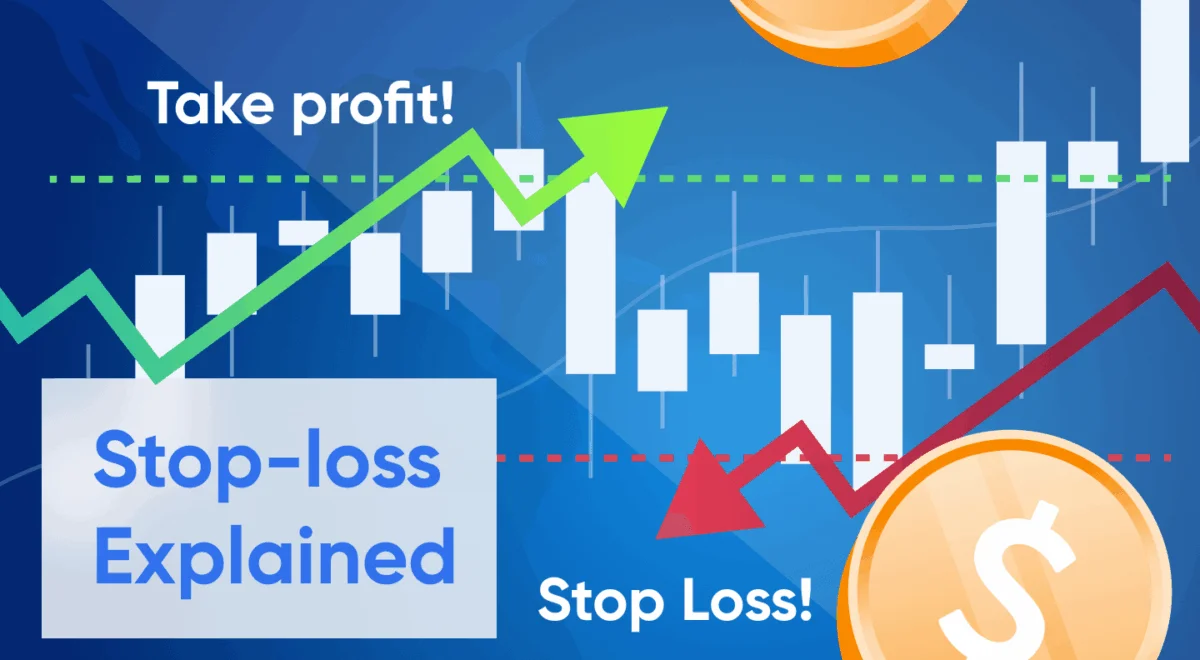
Stop loss: Automatically sells your position when the price drops to a set level below your entry. Purpose: limit downside.
Take profit: Automatically sells your position when the price rises to a set level above your entry. Purpose: lock in gains.
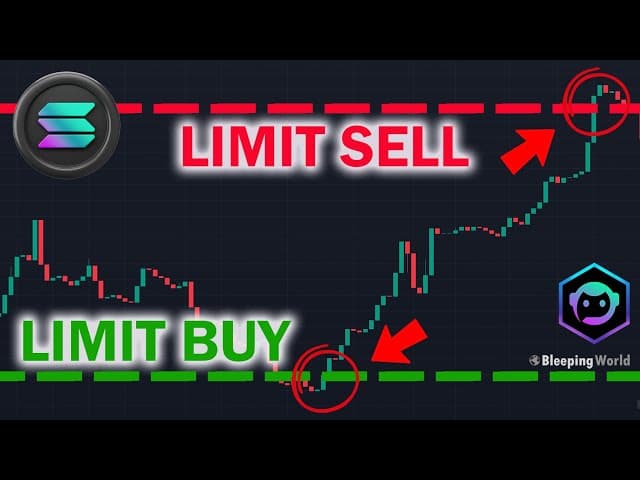
Limit order (sell): A sell order that triggers at a specific price. On Solana bots, "limit order" is often the umbrella term that covers both stop loss and take profit functionality.
Trailing stop loss: A stop loss that moves upward as the price increases, maintaining a fixed percentage distance from the peak. If the token pumps 5x and then reverses, a trailing stop protects your gains instead of just your entry.
Most Solana bots let you set these when you buy a token, or add them after purchase from your portfolio view. Now let's walk through each platform.
BullX — Web App (suspended June 2026)
BullX (BullX Neo) was a web-based trading terminal with a full charting interface, quick-buy buttons, and integrated limit orders, and one of the most popular web apps for Solana memecoin trading. BullX suspended all trading on June 1, 2026 — the team framed it as a pause for "future upgrades" with no roadmap given, and wallet access/withdrawals remain available, but no new trades or limit orders can be placed. The walkthrough below is kept for reference in case trading resumes; if you need a working alternative today, see our best BullX alternatives.
How to Set a Stop Loss on BullX (historical — trading suspended)
Open the token you want to trade on BullX Neo's terminal
After buying, navigate to your open position in the portfolio panel
Click on the position to expand order options
Select Limit Sell and choose your order type:
Stop Loss: Set a percentage below your entry (e.g., -25%) or a specific price/market cap
Take Profit: Set a percentage above your entry (e.g., +100%)
Choose the percentage of your position to sell (25%, 50%, 100%, or custom)
Set your slippage tolerance — 10-15% is common for low-liquidity tokens
Confirm the order
BullX Pro Tips
BullX Neo supports OCO (One-Cancels-Other) orders — set both a take profit and stop loss simultaneously. When one triggers, the other is automatically cancelled.
Pre-configure default stop loss and take profit values in your settings so every trade inherits them automatically. This eliminates the "I forgot to set a stop loss" problem.
Adjust your priority fee during high-congestion periods to ensure your stop loss transaction actually lands on-chain.
Axiom (backed by Y Combinator) is a web-based Solana trading platform that made its name on speed and clean UX. Its auto-sell system is one of the most polished in the space.
Before buying, look for the Auto-Sell toggle in the buy panel
Enable Auto-Sell and configure:
Stop Loss: Set a negative percentage (e.g., -20% from entry)
Take Profit: Set a positive percentage (e.g., +100% from entry)
Execute your buy — the stop loss and take profit are now active immediately
To adjust after buying, go to your Positions panel, click the position, and modify the auto-sell parameters
Alternatively, if you already hold a token:
Go to your Positions tab
Click on the token position
Select Custom Auto-Sell to set or change stop loss and take profit triggers for that specific token
Axiom Pro Tips
Axiom lets you set global default auto-sell rules (e.g., always -20% stop loss, +100% take profit). Every trade you make inherits these unless you override them with Custom Auto-Sell on a per-token basis. This is the single most important setting to configure on day one.
The Panic Sell button on each position gives you instant market sell if you spot a rug pull developing — do not wait for your stop loss when the dev is pulling liquidity.
Axiom executes stop losses at machine speed the moment the trigger is hit. On tokens that dump gradually, this works well. On flash crashes with thin liquidity, expect slippage.
Photon is a speed-focused Solana trading terminal known for sub-millisecond order execution. It supports three types of limit orders and was one of the first platforms to offer trailing stop losses on Solana.
By target line: Set a specific price or market cap as the trigger
By percentage: Set a percentage drop from your entry (e.g., -30%)
Select the sell amount — choose 100% to close the full position, or a partial amount
Click Create Order
To set a take profit, follow the same flow but set the trigger above your current price.
Photon's Trailing Stop Loss
Photon stands out by offering a trailing stop loss — a dynamic exit that follows the price upward:
When setting your sell order, select the Trailing Stop option
Set a trailing distance (e.g., 25%)
As the token price increases, your stop loss automatically adjusts upward, always maintaining that 25% distance from the peak
If the token runs from $0.01 to $0.05 and then drops, your stop triggers at $0.0375 (25% below the $0.05 peak) — not at your original entry
This is extremely useful for tokens that pump unexpectedly. A standard stop loss at -30% from entry would still leave you in profit if the token 5x'd and then crashed — but a trailing stop captures far more of that upside.
Photon Pro Tips
Photon claims 2.5ms execution speed on limit orders. In practice, on-chain confirmation still takes ~400ms, but being first in the transaction queue matters during dumps.
Use Photon's three order types in combination: Buy Dip for entries, Take Profit for upside exits, and Stop Loss for downside protection.
Trojan is the most popular Telegram trading bot on Solana, known for reliability and a clean interface. It supports full limit order functionality directly within Telegram.
How to Set a Stop Loss on Trojan
Open Telegram and start @solana_trojanbot
Fund your Trojan wallet with SOL
Buy a token by pasting the contract address
After the buy confirms, you will see position management options
Select Limit Orders from the menu
Choose Stop Loss and configure:
Trigger: Set a negative percentage (e.g., -25%) or a specific price/market cap below the current value
Sell amount: Choose how much of your position to sell (e.g., 100%)
Expiry: Set how long the order stays active — options include 30 days, custom hours/minutes, or no expiry
Confirm the order
Trojan Pro Tips
Use the Settings menu to pre-configure default stop loss and take profit values. This way every trade you make through Trojan automatically gets an exit plan.
Trojan supports both Simple and Advanced mode. Switch to Advanced for more granular control over limit order parameters.
Set your priority gas fee to Turbo when placing stop losses on volatile tokens — a slow transaction during a dump defeats the purpose.
You can set multiple limit orders on the same position — for example, sell 50% at +100% (take profit) and keep a -30% stop loss on the remaining 50%.
Jupiter — Limit Orders & DCA
Jupiter is the backbone DEX aggregator of Solana. While it is not a dedicated trading bot, its Limit Order V2 system (launched October 2025) provides robust stop loss functionality that works across all Solana tokens with sufficient liquidity.
Select the token you want to sell and the token you want to receive (usually SOL or USDC)
Set your sell price below the current market price — this is your stop loss trigger
Enter the amount to sell
Review and Place Limit Order
Jupiter's OCO (One-Cancels-Other)
Jupiter's Limit Order V2 introduced One-Cancels-Other functionality:
Place a take profit limit order at your target price above current market
Place a stop loss limit order at your exit price below current market
Link them as an OCO pair — when one fills, the other is automatically cancelled
This prevents the scenario where your take profit fills on the way up, but you forget to cancel the stop loss, which then triggers on a normal retracement.
Jupiter DCA as a Stop Loss Alternative
For larger positions where a single market sell would cause too much slippage, Jupiter's DCA (Dollar-Cost Average) out feature works as a gentler exit:
Go to the DCA tab
Set up a recurring sell of your token over a time period (e.g., sell the position in 10 equal orders over 1 hour)
This reduces price impact on low-liquidity tokens
This is not a traditional stop loss — it does not trigger at a specific price. But for planned exits or slow de-risking, it is effective.
Jupiter's Trailing Stop Loss
Jupiter added a trailing stop loss to Limit Order V2 in mid-2026, closing the gap with Photon and BonkBot:
On the Limit tab, select the trailing stop option instead of a fixed price
Set a trailing distance — configurable from 0.5% to 90%, with a 10% default
Choose whether the peak is tracked by USD price or market cap
The order expires after up to 30 days, so long-hold positions need periodic renewal
As with Photon and BonkBot's versions, the trigger only moves up as the token makes new highs and stays put on a pullback, so it locks in more of a run than a fixed stop would.
Jupiter limit orders have no slippage — you get exactly the price you set, or the order does not fill. This is different from bot-based stop losses where execution price may differ from trigger price.
Jupiter's Limit Order V2 includes anti-front-running protections, so MEV bots cannot sandwich your stop loss execution.
The major caveat: Jupiter limit orders only work for tokens with sufficient on-chain liquidity. For micro-cap memecoins that only trade on Pump.fun bonding curves, you need a dedicated trading bot instead.
Bloom is a fast Telegram trading bot for Solana, popular for memecoin sniping and its straightforward auto-sell system.
How to Set a Stop Loss on Bloom
Open @BloomSolana_bot on Telegram
Buy a token by sending the contract address
After the purchase, navigate to your position
Select Auto Orders from the position menu
Configure:
Stop Loss: Set the downside percentage trigger (e.g., -20%)
Take Profit: Set the upside percentage trigger (e.g., +150%)
Confirm — the orders activate and will trigger automatically
Bloom Pro Tips
Bloom's Auto Orders can be pre-configured in settings so every buy you make automatically has stop loss and take profit attached. Do this before you start trading.
Bloom charges a 1% fee on both buys and sells. Factor this into your stop loss calculations — a -20% stop loss actually results in approximately -22% loss after fees on the round trip.
Bloom is free to access (no subscription), making it a good option for traders who want basic stop loss functionality without paying for a premium tool.
BonkBot's trailing stop loss is a standout feature among Telegram bots:
Select Trailing Stop Loss from the limit order menu
Set the trailing distance (e.g., 20%)
The stop loss automatically ratchets upward as the price increases
If the token hits a new high and then reverses by your trailing percentage, the sell triggers
Example: You buy at $0.001 with a 20% trailing stop. The token pumps to $0.01 (a 10x). Your trailing stop is now at $0.008 (20% below the $0.01 peak). If the price drops to $0.008, BonkBot sells — locking in an 8x gain instead of your original stop loss level.
BonkBot Pro Tips
BonkBot requires a minimum 0.1 SOL balance to keep limit orders active — if your wallet dips below this, your orders will deactivate.
All orders are stored off-chain until triggered, meaning other traders cannot see your stop loss levels and trade against them. This is important for large positions.
BonkBot claims sub-millisecond reaction times when triggers are hit and attempts to fill orders "up the wick" for better-than-trigger prices when possible.
The 1% fee on swaps applies to stop loss executions as well.
Banana Gun is a multi-chain Telegram sniping and trading bot with over 1 million users and more than $16 billion in lifetime volume. It supports limit orders including stop losses on Solana.
How to Set a Stop Loss on Banana Gun
Start @BananaGunBot on Telegram and select the Solana chain
Buy a token using the contract address
From your position view, select Limit Orders
Choose Stop Loss and set:
Trigger percentage below entry (e.g., -30%)
Amount to sell
Optionally, set a Take Profit order alongside it
Confirm the order
Banana Gun Pro Tips
Banana Gun charges 1% on snipes and 0.5% on manual trades (including limit order executions). The manual trade fee being lower makes it relatively cost-effective for stop loss executions.
The bot also supports DCA strategies for averaging into or out of positions over time.
Banana Gun's copy trading feature integrates with its limit order system — you can set automatic stop losses on copy-traded positions, not just manual buys.
PepeBoost is a Telegram trading bot focused on memecoin trading across Solana, Ethereum, and other chains. It offers limit order functionality with stop loss and take profit.
How to Set a Stop Loss on PepeBoost
Open @pepeboost_sol_bot on Telegram
Fund your wallet and buy a token via contract address
After buying, navigate to the token's position panel
Select Limit Orders
Choose Stop Loss and configure:
Set a downside percentage (e.g., -12% or -25%)
Choose sell amount (partial or full position)
Optionally add a Take Profit sell order at a positive percentage
Confirm the order
PepeBoost Pro Tips
PepeBoost charges 1% on all trades (0.9% with a referral link). Keep this in mind when setting tight stop losses.
The bot supports multiple wallets, so you can segregate your trading by strategy — aggressive positions in one wallet with tight stops, longer holds in another with wider stops.
PepeBoost also supports Buy Dip orders for automated entries at lower prices, pairing well with its stop loss feature for a fully automated entry-and-exit strategy.
Trailing stop loss is available on Photon, BonkBot, and (since mid-2026) Jupiter — if this feature matters to you, these are your options
Jupiter is the only zero-fee option, but only works for tokens with sufficient DEX liquidity
Axiom has the best "set it and forget it" experience with global default auto-sell rules (BullX did too, before it suspended trading in June 2026)
Maestro is the only bot that supports multiple stop loss/take profit levels per position
Advanced: Trailing Stop Losses Explained
A trailing stop loss is the most sophisticated exit strategy available on Solana bots, and it solves a real problem: how do you protect profits on a token that is still pumping?
With a fixed stop loss at -25% from entry, you sell when you lose 25%. If the token goes 10x before dumping, your fixed stop loss is still anchored to your original buy price, meaning you would have to lose your entire 10x gain before it triggers. That is obviously wrong.
A trailing stop loss fixes this by resetting its reference point every time the token hits a new high:
Example scenario with a 20% trailing stop:
Token Price
Peak Price
Trailing Stop Level
Status
$0.001 (entry)
$0.001
$0.0008
Holding
$0.005
$0.005
$0.004
Holding
$0.010
$0.010
$0.008
Holding
$0.008
$0.010
$0.008
TRIGGERED — sold at $0.008
You entered at $0.001 and sold at $0.008 — an 8x return. Without the trailing stop, a fixed -25% stop loss from entry would have triggered at $0.00075, which was never reached. You would have ridden the pump all the way up and potentially all the way back down.
Where to use trailing stops: Tokens with potential for large runs but uncertain tops — new memecoins, trending tokens with social momentum, tokens hitting new ATHs with no resistance levels to target.
Where NOT to use trailing stops: Tokens that are range-bound or that you plan to hold long-term. Normal volatility will trigger a trailing stop on a token that oscillates 15-20% regularly.
Tips: Common Stop Loss Mistakes on Solana
1. Setting Stop Losses Too Tight
Solana memecoins regularly swing 20-30% in normal trading. A -10% stop loss on a volatile token will get triggered by noise, not by an actual dump. For micro-caps, -25% to -40% is more realistic. For large-cap Solana tokens, -10% to -15% works.
2. Not Accounting for Slippage
Your stop loss triggers at -25%, but the actual execution price might be -30% or worse if liquidity is thin. When setting stop losses, mentally add 5-10% to your expected loss on low-liquidity tokens. If you absolutely cannot afford to lose more than 25%, set your stop at -15% to build in a slippage buffer.
3. Forgetting Trading Fees
Most Solana bots charge 1% per swap. A round trip (buy + stop loss sell) costs 2% in fees alone. On top of that, Solana network fees and priority fees add up. A -20% stop loss actually nets you approximately -22% to -23% loss after all fees.
4. Leaving Stop Losses Without Expiry
Some bots let you set orders without expiry. If a token slowly bleeds down over weeks and then gaps through your stop level, you might get filled at a far worse price than expected. Set reasonable expiry windows (24-48 hours for day trades, 7-30 days for longer holds) and re-evaluate rather than leaving stale orders.
5. Not Setting Stop Losses at All
The most common mistake. You buy a token, it starts going up, and you think "I'll set a stop loss later." Then it dumps before you get around to it. Use tools that support default auto-sell rules (Axiom, Trojan, Bloom) so that every trade has an automatic exit, even if you forget.
Some bots let you set stop losses based on market cap. This can be misleading if the token supply changes (mints, burns) or if the pricing data source lags. Percentage from entry is generally the most reliable trigger method.
7. Ignoring Liquidity
A stop loss is only as good as the liquidity available to fill it. If a token has $5,000 in total liquidity and you are trying to sell a $2,000 position, your stop loss execution will crater the price with massive slippage. Check liquidity depth on DexScreener or Birdeye before sizing your position relative to available liquidity.
Putting It All Together: A Practical Framework
Here is a straightforward approach to stop losses that works across any Solana trading bot:
For memecoin trades (high risk, short hold):
Stop loss: -30% from entry
Take profit: +100% to +300% (sell in tranches: 50% at 2x, 25% at 3x, let 25% ride with trailing stop if available)
Slippage: 15-20%
Priority fee: Turbo/High
For mid-cap tokens (moderate risk, medium hold):
Stop loss: -15% to -20% from entry
Take profit: +50% to +100%
Slippage: 5-10%
Priority fee: Fast
For large-cap Solana tokens (lower risk, longer hold):
Stop loss: -10% to -15% from entry
Take profit: +30% to +50%, or use Jupiter DCA to exit over time
Slippage: 1-3%
Priority fee: Normal
The exact numbers depend on your risk tolerance and account size, but the pattern is consistent: wider stops for more volatile tokens, tighter stops for less volatile ones, and always factor in slippage and fees.
Which Bot Should You Use for Stop Losses?
If you want the most hands-off experience, use Axiom. Its global default auto-sell settings mean every trade gets a stop loss automatically — you configure it once and never worry about forgetting. (BullX offered the same before it suspended trading in June 2026.)
If you want trailing stop losses, your options are Photon (web), BonkBot (Telegram), or Jupiter (DEX-native, added mid-2026). All three support dynamic exits that follow the price upward.
If you want zero fees on limit orders, Jupiter is unmatched — but it only works for tokens with established DEX liquidity, not newly launched memecoins.
If you want the most control per trade, Maestro lets you set multiple take profit and stop loss levels on a single position, giving you the most granular exit strategy of any Telegram bot.
If you trade primarily on Telegram and want a reliable all-rounder, Trojan has the largest user base, consistent execution, and solid limit order functionality.
No matter which tool you choose, the rule is simple: never enter a trade without a plan for how you will exit. Set your stop loss before you need it, because by the time you need it, it is already too late to set one.