Every token you have ever traded on Solana — from SOL itself to the latest memecoin — is an SPL token. SPL (Solana Program Library) tokens are Solana's equivalent of Ethereum's ERC-20 tokens, but with a fundamentally different architecture that enables features impossible on other blockchains.
Understanding how SPL tokens work gives you practical advantages. You will know why you sometimes need to "create a token account" before receiving a new token. You will understand what it means when a token's mint authority is revoked — and why it matters. And if you are a developer, you will know how to leverage Token-2022 extensions to build sophisticated token economics directly into the token itself.
This guide covers both the original SPL Token program and the newer Token-2022 standard, explaining the concepts practically for both users and developers.
How Solana Tokens Work: The Basics
Mint Accounts
Every SPL token starts with a mint account. Think of it as the token's birth certificate and control center. The mint account stores:
- Supply: The total number of tokens in existence
- Decimals: How divisible the token is (e.g., 9 decimals means 1 token = 1,000,000,000 smallest units)
- Mint authority: The address allowed to create new tokens (or null if minting is permanently disabled)
- Freeze authority: The address allowed to freeze token accounts (or null if freezing is disabled)
When someone says "check if mint authority is revoked," they are asking whether the mint authority field is set to null. If it is, no one can ever create more of that token — the supply is permanently fixed. This is one of the first safety checks traders perform on new tokens.
Token Accounts
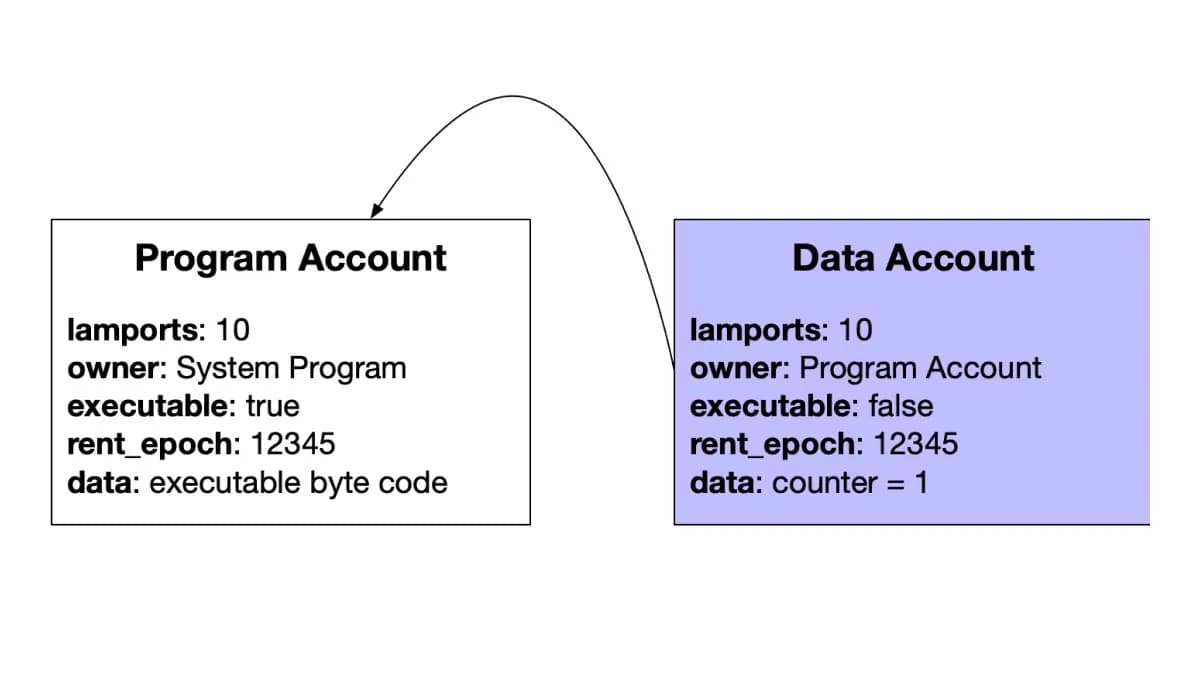
Here is where Solana diverges significantly from Ethereum. On Ethereum, your wallet has a single balance for each ERC-20 token, tracked in the token contract itself. On Solana, every token you hold requires a separate token account.
A token account is a dedicated on-chain account that holds:
- The mint it belongs to (which token)
- The owner (which wallet controls it)
- The amount (how many tokens it holds)
- Additional state information (delegation, close authority, etc.)
This means if you hold 50 different tokens, your wallet has 50 separate token accounts plus your main SOL account.
Why does this matter to you?
- Rent: Each token account requires a rent-exempt balance of approximately 0.002 SOL. When you "close" a token account (remove a worthless token), you recover this SOL.
- Account creation: The first time you receive a new token, someone has to create your token account. This is usually handled automatically by wallets and DEXs, but the creation cost exists.
- Performance: Solana can process transactions on different token accounts in parallel because they are independent accounts. This is a key reason Solana is so fast.
Associated Token Accounts (ATAs)
To solve the problem of "which token account should I send tokens to?", Solana introduced Associated Token Accounts (ATAs). An ATA is a deterministically derived token account — given a wallet address and a token mint, there is exactly one ATA address.
This means:
- Wallets automatically create ATAs when you receive a new token
- Senders do not need to ask for your specific token account address — they derive it from your wallet address
- Every wallet has one canonical token account per token type
When you swap on Jupiter or receive tokens from a friend, ATAs are what make it seamless. You just provide your wallet address, and the system handles the rest.
Mint Authority Explained
The mint authority is the single most important security parameter for any SPL token.
What Mint Authority Controls
The mint authority address has the power to create new tokens at will. This means:
- If the mint authority is a team's wallet, the team can inflate the supply at any time
- If the mint authority is a governance program, the community controls minting through votes
- If the mint authority is null (revoked), no one can ever mint new tokens
Why Revocation Matters
For memecoins and community tokens, a revoked mint authority is considered essential. It guarantees that the supply is fixed — the team cannot rug-pull by minting millions of new tokens and dumping them on the market.
How to check mint authority:
- Find the token's mint address on Solana Explorer
- Look at the "Mint Authority" field
- If it shows an address, that wallet can mint new tokens
- If it shows "Disabled" or null, minting is permanently revoked
Important exception: Some legitimate tokens need mint authority. Stablecoins (USDC, USDT) require active mint authority to issue new tokens backed by reserves. Governance tokens may need mint authority controlled by a DAO for future emissions. Do not automatically dismiss tokens with active mint authority — evaluate the context.
Freeze Authority Explained
Freeze authority is the second critical security parameter. A wallet with freeze authority can freeze any token account, preventing the holder from transferring, selling, or interacting with their tokens.
Legitimate Uses
- Stablecoins: USDC's freeze authority allows Circle to freeze accounts involved in sanctions violations or criminal activity. This is a regulatory requirement.
- Securities tokens: Regulated token offerings may need freeze authority for compliance.
- Game tokens: In-game currencies might freeze tokens during game events or maintenance.
Red Flags
For memecoins and DeFi tokens, active freeze authority is a significant red flag. It means someone can:
- Let you buy the token
- Freeze your token account so you cannot sell
- Dump their own unfrozen tokens, crashing the price
- You are left holding frozen, worthless tokens
This is a common rug-pull vector on Solana. Always check freeze authority before buying new tokens, especially newly launched ones. Token safety tools like RugCheck automatically flag active freeze authority.
Raw SPL tokens have no name, no symbol, no image — just a mint address and balances. Token metadata is stored separately using the Metaplex Token Metadata standard.
What Metadata Includes
- Name: The human-readable token name (e.g., "Jupiter")
- Symbol: The ticker (e.g., "JUP")
- URI: A link to a JSON file containing additional metadata (description, image URL, social links)
- Seller fee basis points: Royalty percentage for NFTs (not typically used for fungible tokens)
- Creators: List of creator addresses and their verified status
- Collection: For NFTs, which collection it belongs to
On-Chain vs. Off-Chain Metadata
Token metadata lives in two places:
- On-chain: The metadata account stores the name, symbol, and a URI pointing to off-chain data. This is immutable if the update authority is revoked.
- Off-chain: The JSON file at the URI contains the token image, description, and extended attributes. This is typically hosted on Arweave, IPFS, or a centralized server.
Why this matters: If the off-chain JSON is hosted on a centralized server, the token creator can change the image or description at any time. For immutability, look for metadata hosted on Arweave or IPFS with pinning.
SPL Token vs. Token-2022
In 2023, Solana introduced Token-2022 (also called Token Extensions), a new token program that extends the original SPL Token with powerful built-in features. Understanding the differences is increasingly important as more tokens adopt Token-2022.
Key Differences
| Feature | SPL Token | Token-2022 |
|---|
| Program ID | TokenkegQfeZyiNwAJbNbGKPFXCWuBvf9Ss623VQ5DA | TokenzQdBNbLqP5VEhdkAS6EPFLC1PHnBqCXEpPxuEb |
| Transfer fees | Not supported | Built-in |
| Confidential transfers | Not supported | Supported |
| Permanent delegate | Not supported | Supported |
| Non-transferable tokens | Workarounds only | Native support |
| Interest-bearing | Not supported | Built-in |
| Default account state | Always initialized | Can default to frozen |
| Metadata | Requires Metaplex | Built-in metadata extension |
| CPI guard | Not available | Available |
Should You Care?
As a user: Yes. Token-2022 tokens may have transfer fees that take a percentage of every transfer. They may have different behavior than you expect from standard SPL tokens. Your wallet and DEX should handle these differences, but understanding them helps you make informed decisions.
As a developer: Absolutely. Token-2022 enables token designs that previously required custom programs. Transfer fees, for example, were previously impossible without wrapping tokens in a custom contract.