Solana's fees are cheap. That much everyone knows. A basic transfer costs around 0.000005 SOL — roughly $0.001 at current prices. But "cheap" doesn't mean "simple." If you've ever had a transaction fail during a memecoin launch, overpaid on a Jito tip for a casual swap, or wondered why your priority fee didn't actually speed anything up, you know that Solana's fee system has layers.
Understanding how fees work on Solana — base fees, priority fees, Jito tips, and compute units — helps you save money on routine transactions, land time-sensitive trades, and avoid wasting SOL on fees that don't matter.
The Three Layers of Solana Fees
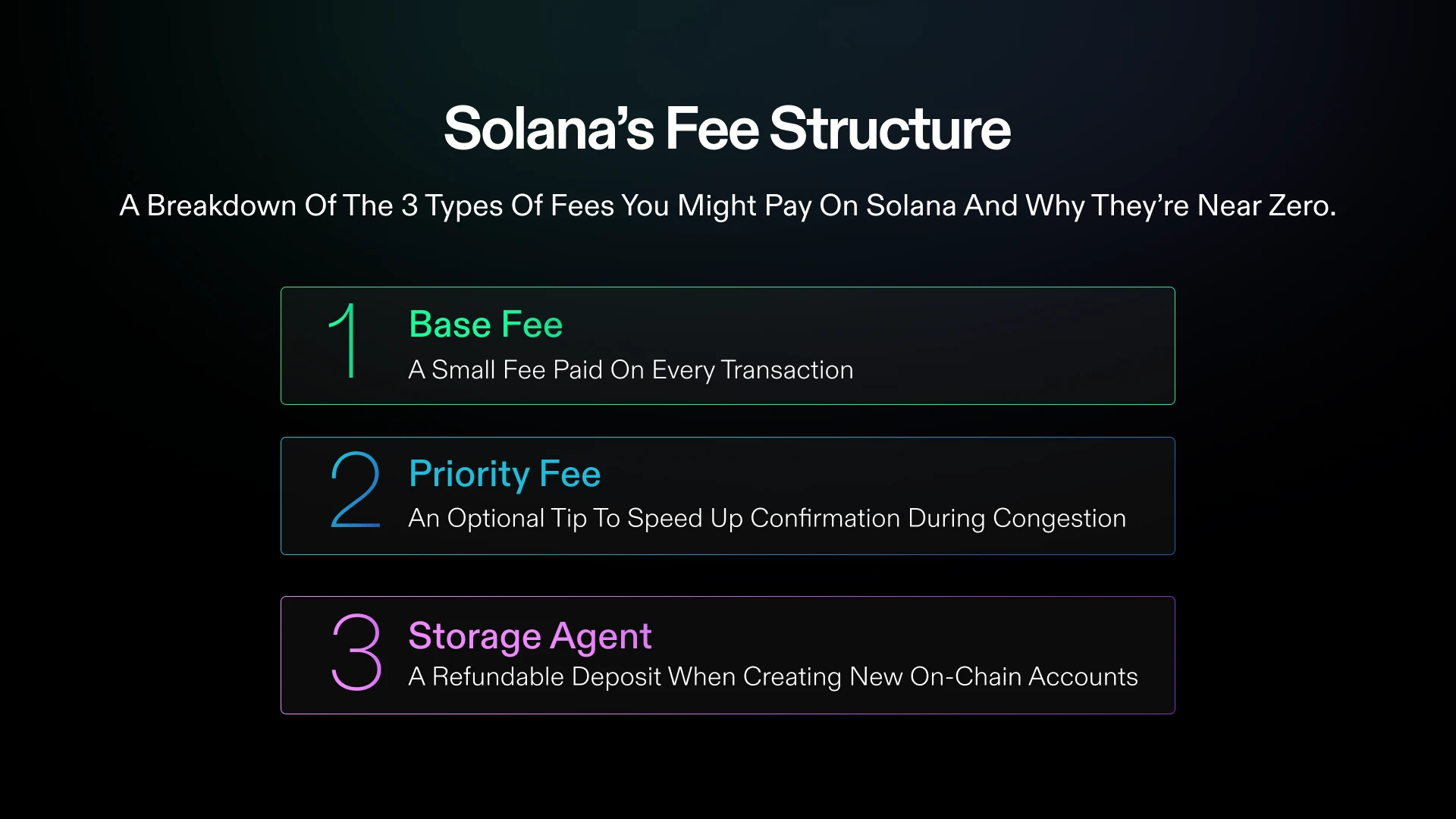
Every Solana transaction can involve up to three types of fees:
1. Base Fee (Signature Fee)
Every transaction pays a flat base fee of 5,000 lamports per signature (0.000005 SOL). This is non-negotiable — every transaction pays it, regardless of complexity.
Most transactions have one signature (from your wallet), so the base fee is 0.000005 SOL. Multi-sig transactions or transactions requiring multiple signers pay 5,000 lamports per signer.
Key point: The base fee is so low it's irrelevant for most users. Even 1,000 transactions cost about 0.005 SOL (~$1). This is what people mean when they say Solana has "near-zero fees."
2. Priority Fee (Compute Unit Price)
Priority fees are optional payments that incentivize validators to include your transaction sooner. They work by setting a price per compute unit (CU) that your transaction uses.
How it works:
- Every transaction uses compute units (CUs). A simple transfer uses ~200 CUs. A complex DEX swap might use 200,000-400,000 CUs. The maximum is 1.4 million CUs per transaction
- You set a compute unit price in micro-lamports (1 micro-lamport = 0.000001 lamport)
- Your priority fee = compute units used x compute unit price
- Validators process higher-paying transactions first within each block
Example: A Jupiter swap using 300,000 CUs with a compute unit price of 50,000 micro-lamports:
- Priority fee = 300,000 x 50,000 = 15,000,000,000 micro-lamports = 15,000 lamports = 0.000015 SOL
When to use priority fees:
- During high network congestion (memecoin launches, NFT mints, popular token presales)
- When you need a transaction to land quickly (sniping a new token, claiming an airdrop)
- When your transactions are consistently failing without them
If dropped transactions are your main pain point, our dedicated Solana priority fees guide digs into how to tune them so your transactions reliably land.
When to skip priority fees:
- Routine transfers, staking, or claiming rewards during normal network activity
- Any transaction that isn't time-sensitive
- When the network is quiet (check Solana's TPS — if it's below 2,000, congestion is low)
3. Jito Tips
Jito tips are a separate mechanism that pays Jito-Solana validators directly to include your transaction in their block. This is different from priority fees — it's a direct tip to the block producer, not a general bidding system.
How Jito tips work:
- Your transaction includes a small SOL transfer to a Jito tip account
- Jito validators see the tip and prioritize including your transaction
- The tip is only paid if your transaction successfully lands in a block
Why Jito tips exist:
Jito was originally built for MEV (Maximal Extractable Value) — allowing searchers to bundle transactions for arbitrage, liquidations, and sandwich attacks. But the tipping mechanism has become widely used for general transaction prioritization because it's more reliable than standard priority fees during high congestion.
Jito tip amounts:
| Scenario | Typical Tip |
|---|
| Normal activity | 0.0001-0.001 SOL |
| Moderate congestion | 0.001-0.01 SOL |
| High congestion (launch) | 0.01-0.1 SOL |
| Extreme congestion (hype mint) | 0.1-1+ SOL |
Important: Jito tips are on top of base fees and priority fees. During a hyped launch, you might pay base fee + priority fee + Jito tip.
Compute Units (CUs) Explained
Compute units measure the computational work your transaction requires. Understanding them helps you optimize fees.
CU Costs by Transaction Type
| Transaction Type | Approximate CUs |
|---|
| SOL transfer | ~200 |
| SPL token transfer | ~3,000 |
| Simple swap (Jupiter) | ~150,000-300,000 |
| Complex swap (multi-hop) | ~400,000-800,000 |
| Raydium LP add/remove | ~200,000-400,000 |
| NFT mint | ~200,000-300,000 |
| NFT purchase | ~150,000-250,000 |
| Program deployment | ~1,000,000+ |
Setting Compute Unit Limits
By default, Solana allows up to 200,000 CUs per instruction (1.4M per transaction). But you can (and should) set a lower compute unit limit for simple transactions. This has two benefits:
- Lower maximum fee: Your priority fee is computed against your CU limit, not actual usage. Setting a tighter limit caps your fee
- Better scheduler priority: Validators can fit more transactions into a block when they know the CU budget upfront
Most wallets and dApps set CU limits automatically. If you're building a bot or using custom transactions, always set an appropriate CU limit.
How Fees Work in Practice
Scenario 1: Casual Token Swap During Normal Activity
You want to swap 1 SOL for a token on Jupiter. Network activity is normal.
- Base fee: 0.000005 SOL
- Priority fee: 0 (not needed)
- Jito tip: 0 (not needed)
- Total: ~0.000005 SOL
Jupiter handles CU estimation automatically. Your transaction lands within 1-2 seconds.
Scenario 2: Buying a New Token During a Launch
A hyped Pump.fun token just launched and everyone's trying to buy. You're using a trading bot.
- Base fee: 0.000005 SOL
- Priority fee: 0.00005 SOL (elevated CU price)
- Jito tip: 0.005 SOL
- Total: ~0.005 SOL
Without the priority fee and Jito tip, your transaction would likely fail or land so late that the price has already moved 10-50%.
Scenario 3: Sniping a Token (Speed Critical)
You're using a sniper bot to buy a token in the first block after launch. Every millisecond counts.
- Base fee: 0.000005 SOL
- Priority fee: 0.0005 SOL (high CU price)
- Jito tip: 0.05 SOL
- Total: ~0.05 SOL
This is expensive relative to a normal swap, but for a snipe where being first can mean a 10x vs. buying at 2x, the fee is justified.
Scenario 4: Failed Transaction
Your transaction uses the maximum CU budget but fails (e.g., slippage exceeded, pool state changed).
- Base fee: 0.000005 SOL (still charged)
- Priority fee: charged only for CUs consumed (partial)
- Jito tip: NOT charged (only paid on success)
- Total: ~0.000005-0.00005 SOL
Failed transactions are cheap. The base fee is always charged, but Jito tips and most of the priority fee are not.
How Wallets Handle Fees
Phantom sets priority fees automatically based on network conditions. You can adjust the fee level in settings:
- Normal: Low priority fee, suitable for routine transactions
- Fast: Moderate priority fee for quicker inclusion
- Turbo: Higher priority fee for time-sensitive transactions
Phantom also integrates Jito tips for swap transactions when needed. The wallet estimates the optimal tip based on current network congestion.
Solflare offers similar fee presets with an additional option to set custom priority fees manually. Useful if you want precise control over what you're paying.
Trading Bots (Trojan, Axiom, etc.)
Most Solana trading bots let you configure:
- Priority fee amount (fixed or dynamic)
- Jito tip amount (fixed or percentage of trade)
- Whether to use Jito bundles (for guaranteed transaction ordering)
Tip: Start with lower fees and increase only if transactions fail. Many bots default to aggressive fee settings that aren't necessary during normal activity.
How to Save on Fees
1. Don't Overpay on Jito Tips
The most common fee mistake on Solana is leaving Jito tips set to "high" for routine swaps. A 0.01 SOL tip for a casual swap is throwing money away. Set tips to auto or low for non-urgent trades and only increase for time-sensitive operations.
2. Time Your Transactions
Solana congestion follows patterns:
- High congestion: Major token launches, popular mints, US market open hours
- Low congestion: Weekends, late US night / early morning, periods between hype cycles
Routine transactions (staking, LP management, portfolio rebalancing) should be done during low-congestion periods when zero or minimal priority fees are needed.
3. Use Dynamic Fee Estimation
Tools like Helius Priority Fee API provide real-time fee estimates based on current network conditions. If you're building a bot or dApp, use dynamic fee estimation instead of fixed amounts.
4. Set Appropriate CU Limits
If you're building custom transactions, set compute unit limits close to actual usage. A transaction that uses 150,000 CUs but has a 1.4M CU limit wastes scheduler capacity and may pay more in priority fees than necessary.