DeFi Analytics
Solscan's DeFi section provides aggregate analytics across the Solana DeFi ecosystem.
DEX Activity
View trading volumes across major Solana DEXes:
- Daily and historical volume charts
- Top trading pairs by volume
- DEX market share comparisons
- Individual pool statistics
Token Trending
Solscan tracks trending tokens based on:
- Transaction count (most active)
- Unique wallets interacting
- Volume changes
- New token launches
This can surface tokens gaining traction before they appear on other tracking platforms.
Using the Solscan API
For developers and power users, Solscan offers a REST API for programmatic access to on-chain data.
API Access
Solscan provides both free and paid API tiers:
- Free tier: Rate-limited, suitable for personal projects and testing
- Pro tier: Higher rate limits, additional endpoints, priority support
Common API Use Cases
Transaction monitoring: Poll for new transactions on a specific wallet to build alerts or accounting systems.
Token analytics: Fetch holder counts, supply data, and transfer history for portfolio tracking or research tools.
Wallet analysis: Build custom dashboards that pull wallet balances and activity.
NFT tracking: Monitor NFT transfers and marketplace activity programmatically.
Example: Fetching Account Tokens
GET https://pro-api.solscan.io/v2/account/tokens?address=WALLET_ADDRESS
Returns all token holdings for a wallet with balances, prices, and token metadata. Useful for building portfolio trackers or wallet analytics tools.
The API documentation is available at pro-api.solscan.io with interactive examples and endpoint references.
Solscan vs. Other Solana Explorers
Solscan isn't the only option. Here's how it compares to alternatives:
Solana Explorer (explorer.solana.io)
The official Solana Explorer is maintained by the Solana Foundation. It's more minimal than Solscan — focused on transaction details, account data, and program information. It's excellent for developers who want raw data without the analytics layer, but less useful for casual users who want to understand what a transaction did.
Choose Solana Explorer when: You need raw account data, program deployment info, or validator details from the official source.
SolanaFM
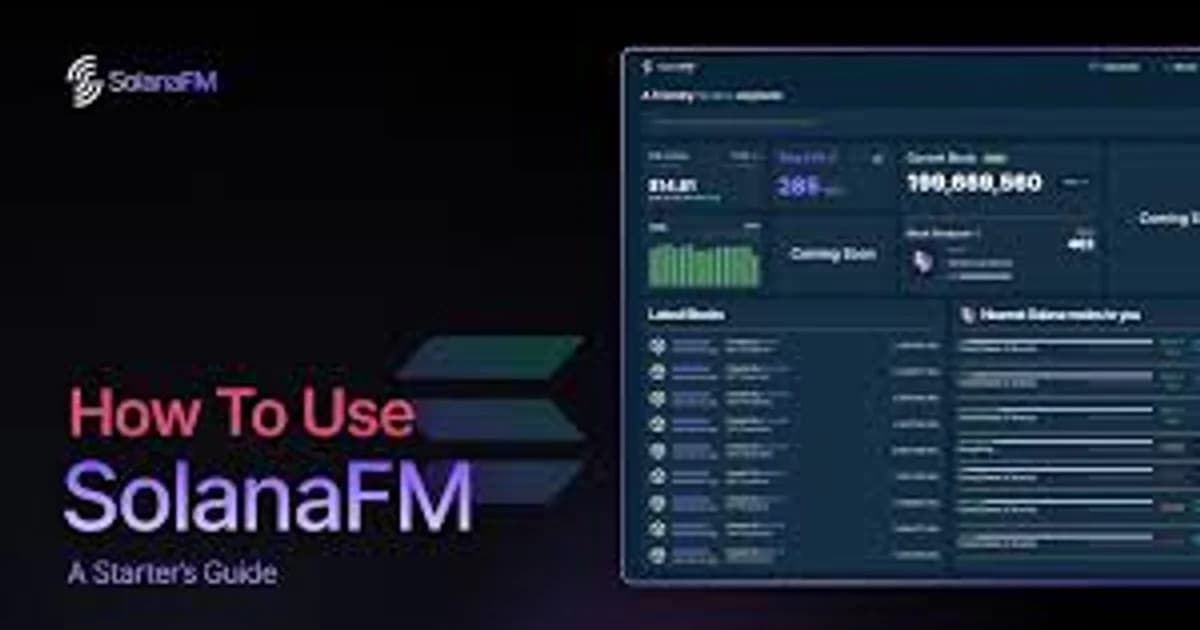
SolanaFM is another popular explorer with a focus on transaction decoding and labeling. SolanaFM often provides more human-readable transaction descriptions than Solscan, especially for complex DeFi transactions.
Choose SolanaFM when: You want the most readable transaction breakdowns, especially for complex multi-instruction transactions. Our SolanaFM block explorer guide for beginners walks through its interface and decoding features.
For a head-to-head ranking of all three, see our best Solana block explorers comparison.
Comparison Table
| Feature | Solscan | Solana Explorer | SolanaFM |
|---|
| Transaction decoding | Good | Basic | Excellent |
| Token analytics | Excellent | Basic | Good |
| Holder analysis | Yes | No | Yes |
| DeFi analytics | Yes | No | Limited |
| API access | Yes (free + paid) | Limited | Yes |
| NFT display | Good | Basic | Good |
| Validator info | Yes | Yes | Limited |
| User interface | Clean, intuitive | Minimal, technical | Modern, detailed |
| Best for | General use, token research | Developers, raw data | Transaction analysis |
Power User Tips
Bookmark Wallet Pages
If you regularly monitor specific wallets (your own, whale wallets, project treasuries), bookmark their Solscan pages. Solscan URLs are stable — solscan.io/account/ADDRESS always resolves to the current state.
Use Browser Extensions
Several browser extensions integrate with Solscan to enhance your workflow:
- Auto-link wallet addresses on Twitter/X to their Solscan pages
- Add Solscan lookup buttons to wallet interfaces
- Show quick portfolio summaries in browser popups
Export Transaction History
Solscan Pro allows CSV exports of transaction history — essential for tax reporting and accounting. Export by date range and filter by transaction type.
For dedicated tax tooling, see our Solana tax guide.
Monitor Programs
If you're tracking a specific protocol's activity, search its program ID on Solscan. The program page shows transaction volume over time, which can indicate growing or declining usage — useful for research before investing in a protocol's token.
Check Token Metadata
Before interacting with a new token, check its Solscan page to verify:
- The mint address matches what's listed on official sources
- Mint and freeze authorities are appropriately configured
- The token has reasonable holder distribution
- Transaction history shows organic activity (not just wash trading)
Common Tasks Quick Reference
| Task | Where to Find It |
|---|
| Check if a transaction succeeded | Search tx signature, check Status field |
| See what tokens you received in a swap | Search tx signature, check Token Balance Changes |
| Find a wallet's SOL balance | Search wallet address, see Portfolio Overview |
| Check who holds the most of a token | Search token mint, click Holders tab |
| Verify a token's supply | Search token mint, check Total Supply and Mint Authority |
| Find your staking rewards | Search your wallet, check Stake Accounts tab |
| Track a whale wallet's trades | Search whale address, filter by Token Transfers |
| Check validator performance | Navigate to Validators section |
| Export transaction history | Solscan Pro, CSV export feature |
FAQ
Is Solscan free to use?
Yes — the core block-explorer features (transaction lookup, wallet inspection, token search, holders, validators) are free with no signup required. Solscan Pro unlocks CSV exports, deeper analytics, the priority API tier, and the AI Insights panel. For casual use, free is plenty.
What's the difference between Solscan, SolanaFM, and the official Solana Explorer?
- Solscan has the cleanest UI and the deepest token/holder analytics. Best default for most users.
- SolanaFM has the strongest transaction decoding — it labels program calls in plain English (e.g., "Swap on Raydium" instead of raw instruction data). Best for debugging.
- Solana Explorer (explorer.solana.com) is the official, no-frills view. Slowest UI but always works during incidents.
For deeper KOL-level analysis (which wallets are early on a token, who's coordinating buys), Solscan won't tell you — that's what our KOL tracker and deployer hunter are for.
How can I tell if a token is a scam from Solscan?
Three checks: (1) Mint authority — should be null for established tokens (means no one can mint more); (2) Freeze authority — should be null (means no one can freeze your tokens); (3) Top holders concentration — if the top 10 holders own >50% of supply (excluding the LP pool), the token is rug-prone. None of these guarantees safety, but each red flag eliminates a percentage of obvious scams.
Why is my transaction showing "Failed" but my balance changed?
Most likely the transaction had multiple inner instructions and only some failed. Solscan shows the top-level status, but if a swap failed but a fee transfer succeeded, your balance will reflect partial activity. Look at the Inner Instructions section to see what actually executed.
Can I get programmatic access to the same data Solscan shows?
Solscan has a paid API (Pro tier and above), but it's rate-limited and doesn't expose the live KOL/deployer enrichment we provide. For Solana-native intelligence (KOL trades, deployer history, token marketcap, real-time DEX firehose), our API is purpose-built — see the endpoint reference.
Wrapping Up
Solscan is one of those tools that every Solana user interacts with, but few use to its full potential. Beyond basic transaction lookups, it offers token security analysis, holder distribution data, DeFi analytics, validator information, and a developer API that powers countless Solana applications.
For most users, the key habits are: verify every transaction before and after it lands, check token mint/freeze authorities before buying anything new, and monitor your own wallet activity regularly to catch unauthorized transactions early.
For the chart and liquidity side Solscan doesn't cover, see our DEXScreener guide. Building instead of browsing? Our Helius guide covers the RPC/API infrastructure layer.
Pair Solscan with SolanaFM for the best transaction decoding, and the official Solana Explorer when you need raw developer-oriented data. For tracking which wallets are smart-money on a given token (a layer Solscan doesn't surface), use our KOL tracker. Together, these tools give you complete visibility into Solana — not just at the transaction level, but at the trader-behavior level.
September 2026 refresh
Solscan remains active and is now part of the Etherscan family. In May 2026 it added full historical-data search across Solana with filters for wallets, tokens, programs, action types, values and date/time ranges. That makes older statements that frame Solscan as mainly a simple transaction lookup too narrow.
The basic steps in this guide still work, but use Solscan's current search/filter surfaces for deeper investigations rather than relying only on fixed URL patterns.
Sources: Solscan + Etherscan and Solscan announcements.