Jupiter Exchange Guide: How to Swap, DCA, and Trade on Solana (2026)
The complete Jupiter exchange guide for 2026. Learn how to swap tokens, set up DCA, place limit orders, trade perps, and get the best rates on Solana's #1 DEX aggregator. Updated May 2026 with Jupiter v6 routing + JLP yield notes.
MadeOnSol·· 23 min read
Disclosure: This article contains affiliate links. If you sign up through them, MadeOnSol may earn a commission at no extra cost to you. This never affects our rankings, ratings, or reviews.
If you've used Solana for more than five minutes, you've probably used Jupiter. It's the default place to swap tokens, and for good reason — Jupiter routes your trade through every major DEX on Solana to find you the best price. No single exchange comes close to matching it on rate consistency.
But Jupiter is a lot more than a token swap interface. It's grown into a full-blown trading platform with DCA automation, limit orders, perpetual futures, and its own governance token. Most people only scratch the surface.
This Jupiter exchange guide covers everything you need to know in 2026 — from your first swap to advanced features like JLP and staking. Whether you're brand new to Solana or just haven't explored Jupiter's full toolkit, this is the only guide you'll need.
What Is Jupiter?
Jupiter is a DEX aggregator on Solana. That means it doesn't hold its own liquidity — instead, it scans dozens of decentralized exchanges (like Raydium, Orca, and Meteora) and routes your trade through whichever path gives you the best output.
Think of it like a flight comparison site. You don't book directly through Jupiter — Jupiter finds the cheapest route across all the airlines (DEXs) and executes it for you in a single transaction.
Since launching in late 2021, Jupiter has become the most-used DeFi application on Solana by volume. In 2025, it consistently processed more swap volume than any other Solana protocol, and 2026 has been no different. If you're trading on Solana, Jupiter is your starting point.
Updated May 2026: Jupiter v6 is now the default routing engine — it's noticeably better at finding paths through the new launchpad pools (LetsBonk's launchlab, PumpSwap, Meteora DBC). We've added a v6 routing section, refreshed the JLP yield numbers, and added a FAQ covering the questions our users ask most about Jupiter in 2026 — including how to detect when an "aggregator price" is actually a routed phantom (rare, but can happen on illiquid memecoins).
Why Use Jupiter Instead of Swapping Directly on a DEX?
Better prices — Jupiter splits your trade across multiple DEXs and routes to find the optimal rate
One interface — No need to check Raydium, Orca, and Meteora separately
— If a token has liquidity anywhere on Solana, Jupiter can find it
Tools mentioned
Compare features and read reviews.
Live health scores, average ratings, and direct links on MadeOnSol.
Advanced features — DCA, limit orders, and perps all in one place
MEV protection — Built-in protections against sandwich attacks
What You Need to Get Started
Before you can use Jupiter, you need three things:
1. A Solana Wallet
The two most popular options are Phantom and Solflare. Both work seamlessly with Jupiter. Phantom is the go-to choice for most users thanks to its clean interface and mobile app. Solflare offers more advanced features like hardware wallet support and staking tools.
Download either one as a browser extension (Chrome, Firefox, Brave) or mobile app. Write down your seed phrase and store it somewhere safe offline. If you lose this phrase, you lose access to your funds permanently.
2. SOL in Your Wallet
You need SOL to pay for transaction fees on Solana (they're tiny — usually under $0.01) and as your base trading token. Buy SOL on any major exchange (Coinbase, Binance, Kraken) and send it to your wallet address.
Pro tip: Always keep at least 0.05 SOL in your wallet for transaction fees. Running out of SOL for gas is one of the most common beginner issues.
3. Navigate to Jupiter
Go to jup.ag and connect your wallet. That's it — you're ready to start trading.
How Jupiter's Aggregator Works
Understanding how Jupiter routes trades helps you appreciate why it consistently beats individual DEXs on price.
When you enter a swap on Jupiter (say, 10 SOL to USDC), the aggregator engine does the following in milliseconds:
Scans all liquidity sources — Jupiter checks pools on Raydium, Orca, Meteora, Phoenix, Lifinity, and dozens of other Solana DEXs
Calculates every possible route — This includes direct swaps, multi-hop routes (e.g., SOL → USDT → USDC), and split routes (e.g., 60% through Raydium, 40% through Orca)
Picks the best combination — The route that gives you the highest output after accounting for fees and price impact
Executes it in one transaction — You sign once, and Jupiter handles the rest
This is why Jupiter almost always gives you a better rate than going directly to any single DEX. For large trades especially, the ability to split across multiple pools dramatically reduces price impact.
Supported DEXs and Liquidity Sources
Jupiter integrates with virtually every liquidity source on Solana, including:
OpenBook — Decentralized order book (Serum successor)
The more liquidity sources Jupiter connects to, the better your rates get. This network effect is what makes it so hard for any single DEX to compete on price alone.
How to Swap Tokens on Jupiter
Swapping is Jupiter's core feature and what most people use it for. Here's how to do it step by step.
Step 1: Connect Your Wallet
Go to jup.ag and click Connect Wallet in the top right. Select Phantom, Solflare, or whichever wallet you use. Approve the connection.
Step 2: Select Your Tokens
In the swap interface, choose your input token (top field) and output token (bottom field). For example, SOL at the top and USDC at the bottom. Enter the amount you want to swap.
Step 3: Review the Route
Jupiter will show you:
Output amount — How many tokens you'll receive
Price impact — How much your trade moves the price (keep this under 1% for major tokens)
Minimum received — The worst-case amount, accounting for slippage
Route — Which DEXs your trade passes through
Step 4: Adjust Settings (If Needed)
Click the gear icon to adjust:
Slippage tolerance — Default is usually 0.5%. For volatile or low-liquidity tokens, you may need 1-5%. For memecoins, you might need even higher (10-15%)
Priority fee — Higher priority fees get your transaction confirmed faster. During network congestion, bumping this up can mean the difference between a successful swap and a failed one
MEV protection — Keep this on. It routes your transaction through Jito to protect against sandwich attacks
Step 5: Swap
Click Swap and approve the transaction in your wallet. Done. Your new tokens should appear in your wallet within seconds.
Swap Tips
Check the price impact before confirming. If it's over 2-3%, you're likely overpaying. Consider splitting into smaller trades
For new or low-liquidity tokens, always verify the token address on Birdeye or DEXScreener to make sure you're buying the right token
Use RugCheck to scan token contracts before buying anything unfamiliar. It flags common scam patterns like mint authority still enabled or freeze authority active
Jupiter DCA (Dollar-Cost Averaging)
Jupiter's DCA feature lets you automatically buy a token over time instead of all at once. This is one of the most underused features on the platform, and it's incredibly useful for building positions without trying to time the market.
What Is DCA and Why Use It?
Dollar-cost averaging means spreading your purchase across multiple smaller buys at regular intervals. Instead of buying 100 SOL worth of JUP all at once, you might buy 10 SOL worth every day for 10 days.
The benefits:
Reduces timing risk — You don't need to guess if today is the bottom
Smooths out volatility — You buy more when prices are low, less when they're high
Removes emotion — Set it and forget it, no more staring at charts all day
Better average price — In volatile markets, DCA almost always beats lump-sum buying
Select your input token (what you're spending) — typically SOL or USDC
Select your output token (what you're buying) — e.g., JUP, SOL, or any SPL token
Enter total amount — The full amount you want to invest over the DCA period
Choose frequency — How often to execute orders (every minute, hour, day, week, or month)
Set number of orders — How many individual buys to split it into
Review and start — Jupiter shows you the amount per order and the schedule
Click Start DCA and approve the transaction
How Jupiter DCA Works Under the Hood
When you create a DCA order, Jupiter locks your input tokens in a program account. At each interval, a keeper bot automatically executes the swap at the current market rate through Jupiter's aggregator — so you still get the best available price on every single order.
You can cancel a DCA order at any time and withdraw your remaining unspent tokens plus whatever you've already received.
Best Use Cases for Jupiter DCA
Accumulating SOL or JUP during dips — Set a weekly DCA and stop checking the price
Converting a large position slowly — Selling 10,000 USDC into SOL over a month instead of market-dumping
Building exposure to new tokens — Spreading your entry over time reduces the risk of buying the top
Jupiter Limit Orders
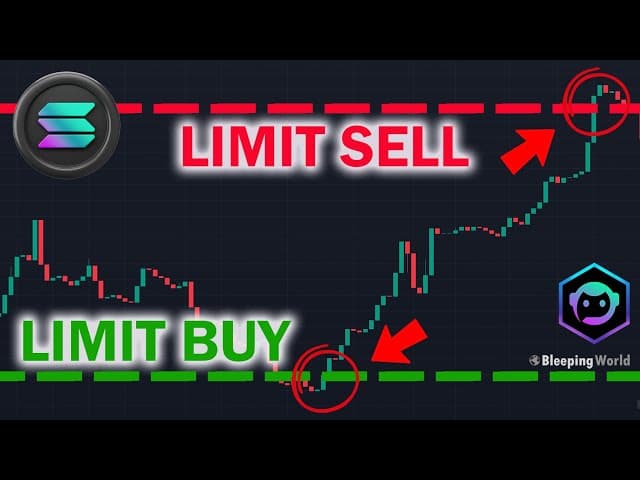
Limit orders let you set a specific price at which you want to buy or sell. Instead of swapping at the current market rate, you place an order that only executes when the price hits your target.
How Jupiter Limit Orders Work
Jupiter's limit orders work similarly to a centralized exchange, but on-chain:
You specify the token pair, amount, and target price
Your tokens are deposited into an escrow account
Keeper bots monitor the price and execute your order when the target is reached
The swap happens through Jupiter's aggregator at or better than your specified price
This is a massive upgrade over what was available on Solana a year ago. Previously, limit orders on-chain were clunky and unreliable. Jupiter's implementation is smooth and consistently fills at the expected price.
Set your target price — the rate at which you want the order to execute
Optionally set an expiration — when the order should cancel if not filled
Click Place Order and approve in your wallet
Limit Orders vs. CEX Limit Orders
Feature
Jupiter Limit Orders
CEX Limit Orders
Custody
Non-custodial (your keys)
Exchange holds funds
Execution
Keeper bots via aggregator
Exchange matching engine
Fees
Jupiter swap fees only
Exchange trading fees
Token coverage
Any SPL token with liquidity
Listed tokens only
Speed
Seconds (depends on keepers)
Near-instant
Partial fills
Supported
Supported
The main trade-off: CEX limit orders execute slightly faster because matching engines are purpose-built for this. Jupiter limit orders have the advantage of being non-custodial and supporting every token on Solana, not just those listed on an exchange.
When to Use Limit Orders
Buying the dip — Set a limit order to buy SOL at $100 when it's currently at $120
Taking profit — Set a sell order for your memecoin at a 5x target
Reducing screen time — Place your orders and walk away instead of watching charts
Once you're comfortable with the basics, there's a lot more you can do — laddering, scaling out, and grid-style setups. Our guide to advanced Solana limit order strategies goes beyond simple buys and sells.
Jupiter Perps is a decentralized perpetual futures trading platform built directly into Jupiter. It lets you trade SOL, ETH, and BTC with up to 100x leverage — all on-chain, with no KYC.
How Jupiter Perps Work
Jupiter Perpetuals uses an oracle-based pricing model (similar to GMX on Ethereum/Arbitrum). There's no order book — trades are executed against the JLP (Jupiter Liquidity Provider) pool.
Traders open long or short positions with leverage
The JLP pool acts as the counterparty to all trades
Oracles (Pyth network) provide real-time price feeds
Available markets: SOL-PERP, ETH-PERP, BTC-PERP (with more pairs expected in 2026).
What Is JLP?
JLP is Jupiter's liquidity pool token. When you deposit into the JLP pool, you're essentially becoming the "house" — your funds are used as counterparty liquidity for perps traders.
JLP pool composition is roughly: 40-50% SOL, 10-15% ETH, 10-15% BTC, and 25-35% stablecoins (USDC/USDT). The exact ratios shift based on market conditions and trader positioning.
The APY on JLP has historically ranged from 20% to over 100%, depending on trading volume. Higher volume = more fees = better returns for JLP holders.
JLP Risks
JLP is not a free money printer. You're effectively making a bet:
If traders collectively lose money, JLP holders profit (they earn the losses)
If traders collectively make money, JLP holders lose (they pay the gains)
Asset exposure — Holding JLP gives you exposure to SOL, ETH, and BTC price movements. If these assets drop, JLP's value drops too
Impermanent loss — The pool composition shifts, which can create IL
JLP has historically been net profitable for holders because most leveraged traders lose money over time. But there are no guarantees, and a strong trending market where most longs are winning can significantly hurt JLP value.
How Jupiter Perps Compare to Competitors
Jupiter isn't the only perps platform on Solana. Drift Protocol and Zeta Markets are the main alternatives.
Jupiter Perps wins on simplicity and liquidity depth for major pairs. Drift and Zeta offer more trading pairs and sometimes lower fees. If you're primarily trading SOL, ETH, or BTC perps, Jupiter is the most liquid option. If you want to trade altcoin perps, check out Drift.
JUP is Jupiter's governance and utility token. It was launched in January 2024 with one of the largest airdrops in Solana history, and it's been a cornerstone of Jupiter's ecosystem ever since.
What JUP Is Used For
Governance — JUP holders vote on proposals that shape Jupiter's development (new features, fee structures, token emissions)
Staking rewards — Staked JUP earns ASR (Active Staking Rewards) distributed from platform revenue
Ecosystem incentives — JUP is used to bootstrap new Jupiter products and reward active participants
How to Stake JUP
Go to vote.jup.ag or find the staking section on the main Jupiter site
Connect your wallet
Enter the amount of JUP you want to stake
Approve the transaction
Staked JUP is locked for governance participation. You can unstake at any time, but there's a cooldown period (typically 30 days for full unstaking). You'll receive ASR rewards based on your staked amount and participation in governance votes.
ASR (Active Staking Rewards)
ASR is Jupiter's reward mechanism for active governance participants. To maximize your rewards:
Stake your JUP — The more you stake, the higher your share of rewards
Vote on proposals — Active voters receive higher ASR multipliers
Stay staked — Longer staking duration can improve your reward tier
ASR distributions happen periodically and are funded by Jupiter's protocol revenue. The exact APY varies based on total staked JUP and platform volume.
The bottom line: Use Jupiter for swapping — it aggregates Raydium and Orca (plus everything else), so you always get the best rate. Use Raydium or Orca directly only if you want to provide liquidity in their pools. And use Meteora if you're interested in DLMM liquidity provision, which has become increasingly popular for yield farmers in 2026.
Jupiter vs Raydium isn't really an either/or — Jupiter uses Raydium under the hood when it has the best rate. You're not choosing between them for swaps; you're choosing whether to let Jupiter find the optimal route or manually use a single DEX (which is almost never better).
Tips for Getting the Best Rates on Jupiter
Jupiter's aggregator does most of the heavy lifting, but there are a few things you can do to squeeze out even better results.
1. Use MEV Protection
MEV (Maximal Extractable Value) attacks — especially sandwich attacks — cost Solana traders millions. A sandwich attack works like this: a bot sees your pending swap, buys before you (front-run), drives up the price, lets your swap execute at the higher price, then sells (back-run) for profit. You end up paying more than you should.
Jupiter has built-in MEV protection that routes transactions through Jito bundles. Keep this enabled. It dramatically reduces your exposure to sandwich attacks.
Major tokens (SOL, USDC, JUP): 0.3-0.5% slippage is fine
Mid-cap tokens: 1-3% is usually safe
New or low-liquidity memecoins: You might need 5-15%, but be careful — high slippage means you're accepting a worse price
If your transaction keeps failing with "slippage exceeded," increase it slightly. If it's passing easily, lower your slippage to save money.
3. Adjust Priority Fees During Congestion
Solana occasionally experiences network congestion, especially during major token launches or airdrop claims. When this happens, bumping your priority fee ensures your transaction gets included in a block faster.
Jupiter lets you set priority fees in the settings menu. During normal times, "Medium" or even "Low" works fine. During congestion, switch to "High" or set a custom amount.
4. Split Large Trades
If you're swapping a large amount (say, $50,000+ worth of a mid-cap token), consider splitting it into multiple smaller swaps. Even with Jupiter's split routing, very large trades on low-liquidity tokens can create significant price impact. Two swaps of $25,000 often give you a better total output than one swap of $50,000.
5. Check Multiple Times of Day
Liquidity and spreads on DEXs fluctuate throughout the day. If your swap isn't time-sensitive, check the quoted rate at different times. You might find meaningfully better rates during high-liquidity periods (typically US and European market hours).
For trades where speed matters (sniping a newly launched token, front-running a market event), you can add a Jito tip to prioritize your transaction. Jito validators process tipped transactions faster than standard ones. Jupiter's UI supports this natively through its priority fee settings.
Common Issues and How to Fix Them
Even experienced Solana users run into issues on Jupiter occasionally. Here are the most common problems and their fixes.
Transaction Failed / Simulation Error
Cause: Usually a slippage issue, insufficient SOL for fees, or stale route data.
Fix:
Increase slippage tolerance slightly
Make sure you have at least 0.05 SOL for fees
Refresh the page and try again (routes expire quickly in fast-moving markets)
Try a slightly different amount (round numbers sometimes work better)
Slippage Exceeded
Cause: The price moved more than your slippage tolerance between when you quoted and when the transaction executed.
Fix:
Increase slippage tolerance
Swap a smaller amount
Try again immediately — volatile tokens move fast
Token Not Found
Cause: The token might be too new, have no liquidity, or you might have the wrong address.
Fix:
Paste the exact token contract address (not the token name) into Jupiter's search
If the token just launched, it may take a few minutes for Jupiter to index it
Make sure the token actually has liquidity in at least one pool
Transaction Stuck / Pending
Cause: Network congestion or too-low priority fee.
Fix:
Solana transactions either confirm in seconds or fail — they don't actually "get stuck" like Ethereum
If a transaction doesn't confirm within 60 seconds, it's effectively failed. Just try again with a higher priority fee
High Price Impact Warning
Cause: You're trading a large amount relative to the available liquidity.
Fix:
Split your trade into smaller amounts
Use Jupiter DCA to spread the purchase over time
Wait for better liquidity (more active trading hours)
Jupiter v6 Routing
Jupiter rolled v6 of its routing engine across 2025-2026. Three changes matter for end users:
Multi-hop pathing through new launchpad pools. v6 now considers Meteora DBC, PumpSwap, and LetsBonk launchlab pools as routing legs, where v4 sometimes ignored them. For brand-new memecoins, this means tighter execution prices because Jupiter can split a $5 SOL buy across the bonding curve and the freshly-graduated AMM in one tx.
Better slippage protection. v6 calculates expected output per-bin (for DLMM pools) instead of using pool-average price. The displayed quote is closer to what you'll actually receive, especially on volatile pairs.
MEV-aware routing. When Jito tipping is enabled, v6 prefers paths that bundle to validators that respect Jito's MEV protection. This reduces sandwich attacks on large trades, though it doesn't eliminate them — for that you still want a separate MEV-protection tool.
If you're a developer integrating Jupiter, the v6 API has a different schema from v4 (endpoints under /v6/quote and /v6/swap). The official docs cover the migration path. For Solana on-chain intelligence beyond Jupiter routing — KOL trade signals, deployer history, real-time DEX firehose — see our Solana API and the endpoint reference.
FAQ
Why does Jupiter sometimes show a different price than Dexscreener?
Jupiter's quote is the executable price for your specific size routed across all available DEXes. Dexscreener shows the last-traded price on the highest-liquidity pool. For small trades on liquid pairs, they match within ~0.5%. For large trades or thin tokens, Jupiter's quote will be worse (your size moves the price) but it's the realistic number — Dexscreener doesn't account for slippage.
What's the cheapest way to swap on Solana?
For 99% of users, Jupiter at default settings IS the cheapest path because it scans every DEX. Where it falters: extremely small swaps (under $1) where the routing complexity adds compute fees, and brand-new tokens that only have liquidity on one DEX. For those, swapping directly on the source DEX (Raydium, Meteora, or the launchpad pool) can save a few basis points.
How does JLP work and is it safe?
JLP is Jupiter's perpetuals liquidity pool. You deposit SOL, ETH, BTC, USDC, or USDT and receive JLP tokens that earn a share of the perp trading fees. Yield in 2026 has clustered between 20-50% APY depending on volatility. The risk: you're effectively short the LPs' net position — when traders win big, JLP loses. Long-term it's been positive but it can have months where JLP NAV declines.
Are Jupiter limit orders gas-free?
Limit orders themselves don't cost gas to place — Jupiter's keeper bot pays the execution fee when your order fills, and that cost is taken out of your output. Cancelling an unfilled order has a small reclaim fee (~0.000005 SOL).
How can I see which KOLs are trading through Jupiter?
Most KOL volume on Solana routes through Jupiter, so the MadeOnSol KOL tracker shows their trades regardless of frontend. Each trade includes the entry market cap (real-time) and the underlying DEX so you can see when whales are picking up positions on a token.
Tools Mentioned in This Guide
All of these tools are reviewed with honest pros, cons, and real-time health monitoring on MadeOnSol:
Disclaimer: This guide is for educational purposes only. Trading cryptocurrency involves significant risk, and you should never invest money you can't afford to lose. Leveraged trading (perpetuals) carries additional risk of liquidation. MadeOnSol does not provide financial advice. Always do your own research before using any DeFi protocol or trading platform.
For providing liquidity rather than just swapping, see our Raydium and Orca Whirlpools guides.