Dynamic Fee Strategies
The most effective approach is not setting a fixed fee but dynamically adjusting based on conditions.
Strategy 1: Recent Fee Sampling
Query the network for recent priority fees paid by successful transactions:
const recentFees = await connection.getRecentPrioritizationFees();
const sorted = recentFees
  .map(f => f.prioritizationFee)
  .sort((a, b) => a - b);
const p75 = sorted[Math.floor(sorted.length * 0.75)];
// Use the 75th percentile as your fee
This gives you a fee that is competitive with 75% of recent transactions. For time-critical operations, use the 90th or 95th percentile.
Strategy 2: Program-Specific Fee Estimation
Different programs have different fee dynamics. A swap on Jupiter during a popular launch has different fee requirements than a simple SPL token transfer. Query fees for the specific program accounts your transaction interacts with:
const fees = await connection.getRecentPrioritizationFees({
  lockedWritableAccounts: [poolAccountPubkey]
});
This returns fees specifically for transactions that touched the same accounts your transaction will touch, giving a more accurate estimate.
Strategy 3: Escalating Retry
If your transaction is not confirmed within a few seconds:
- Submit with a moderate fee
- Wait 2-3 seconds
- If not confirmed, resubmit with 2x the fee (new blockhash)
- Wait 2-3 seconds
- If still not confirmed, resubmit with 5x the original fee
This avoids overpaying when the network is calm while ensuring eventual execution during congestion.
Using Helius Fee Estimation
Helius provides a priority fee estimation API that returns recommended fee levels:
const response = await fetch('https://mainnet.helius-rpc.com/?api-key=YOUR_KEY', {
  method: 'POST',
  body: JSON.stringify({
    jsonrpc: '2.0',
    id: 1,
    method: 'getPriorityFeeEstimate',
    params: [{
      accountKeys: ['JUP6LkbZbjS1jKKwapdHNy74zcZ3tLUZoi5QNyVTaV4'],
      options: { recommended: true }
    }]
  })
});
Helius returns fee estimates segmented by priority level (low, medium, high, very high), making it easy to select the appropriate fee for your urgency level.
Common Priority Fee Mistakes
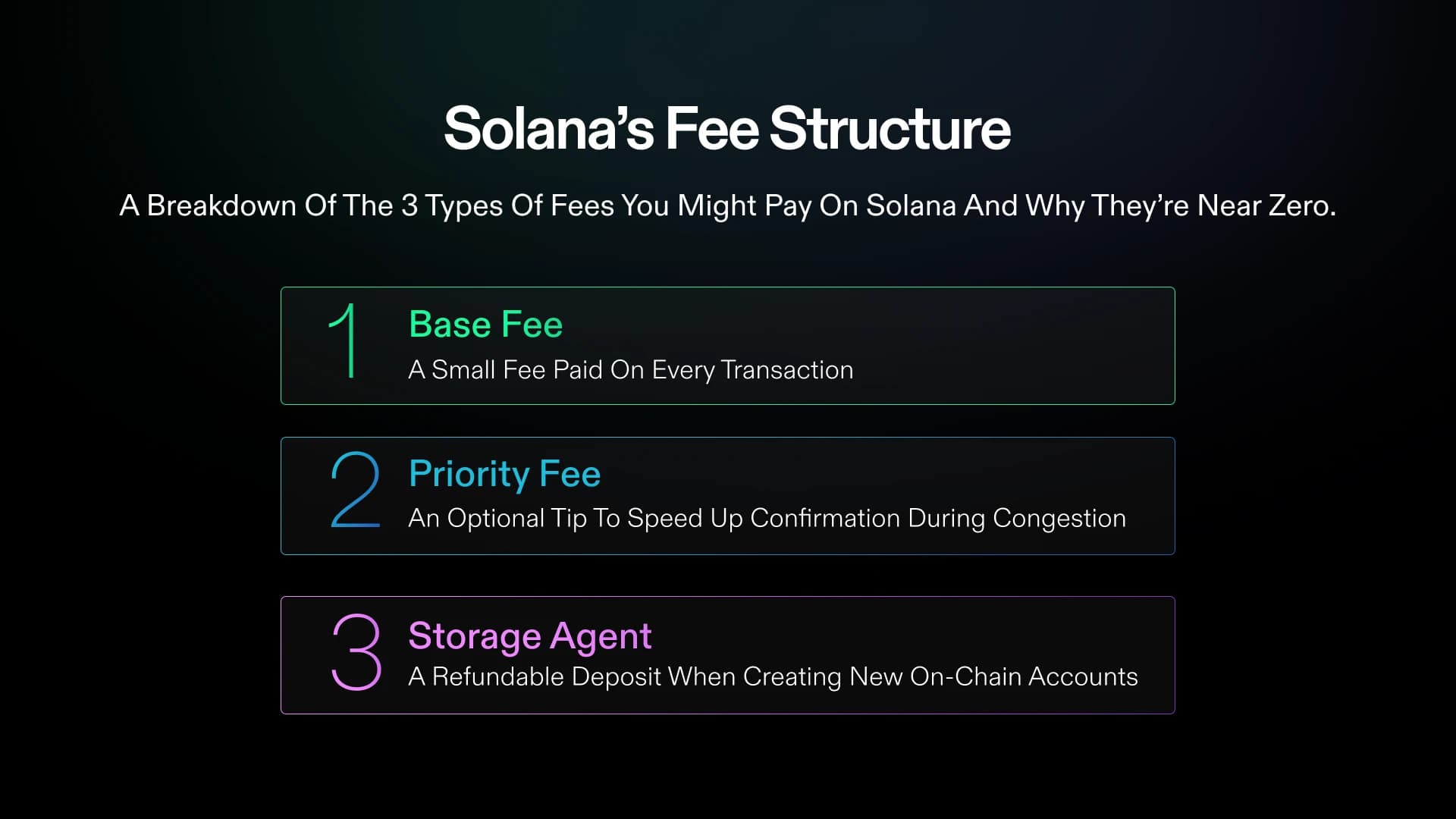
Mistake 1: Setting fees to zero. Some wallets and apps default to zero priority fee. During any period of non-trivial network activity, zero-fee transactions will be dropped. Always set at least a minimal priority fee.
Mistake 2: Setting compute unit limit too high. Your priority fee is per compute unit. If you request 1,400,000 CU (the maximum) but only use 200,000, you are paying for 7x more than needed. Use setComputeUnitLimit to set a realistic limit based on simulation.
Mistake 3: Using stale blockhashes. Every transaction includes a recent blockhash that expires after ~60 seconds. If your transaction sits in queue too long, it expires silently. Use getLatestBlockhash with confirmed commitment and consider the lastValidBlockHeight when implementing retries.
Mistake 4: Not using both priority fees AND Jito tips. During high congestion, using only one mechanism may not be sufficient. Priority fees help with the Solana scheduler, while Jito tips help with Jito validators specifically. Using both maximizes your chances.
Mistake 5: Same fee for all transaction types. A token snipe needs a very different fee than a simple transfer. Configure your tools with different fee profiles for different actions.
Final Thoughts
Priority fees are the single most impactful configuration setting for Solana traders. A well-configured fee strategy means your transactions land consistently, your snipes execute on time, and you stop losing opportunities to dropped transactions.
The good news is that most modern Solana tools — Jupiter, BullX, Axiom, Photon — have built-in fee management that works well for normal conditions. Where you need to take manual control is during high-congestion periods: popular launches, volatile market events, and competitive sniping situations.
Start with dynamic fee estimation, test with moderate values, and increase when speed is critical. The difference between a 0.001 SOL fee and a 0.01 SOL fee is trivial compared to the cost of a missed trade.
FAQ
Why do my transactions still fail even with high priority fees?
High priority fees increase your position in the validator's queue, but they do not prevent execution failures. If your transaction fails because of slippage (the price moved past your tolerance), insufficient balance, or a program error, the fee does not help. Check the transaction error in your wallet or on Solscan to distinguish between "not processed" (fee issue) and "processed but failed" (logic issue).
Are Jito tips refunded if my transaction fails?
Jito tips are structured as a separate transfer instruction within your transaction. If the transaction fails during simulation (before landing on-chain), no tip is paid. If the transaction lands on-chain but a subsequent instruction fails, behavior depends on the implementation — most trading bots structure the tip as the last instruction so it only executes if the swap succeeds.
How do priority fees compare to Ethereum gas fees?
Solana priority fees are dramatically lower. A high-priority Solana transaction might cost 0.01-0.05 SOL ($1-5). An equivalent priority transaction on Ethereum during congestion can cost 0.1-1 ETH ($200-2000). Even during extreme Solana congestion, fees rarely exceed 0.5 SOL. The low absolute cost means you should generally err on the side of paying more rather than less. For the auction-based alternative to priority fees, see our Jito bundles explained; for detecting the activity that drives fee spikes in the first place, see Solana mempool monitoring.
Will Solana's fee system change in the future?
Solana has been exploring local fee markets, where fees are determined per-account rather than globally. This means congestion on one popular program (like a token launch on Pump.fun) would not affect fees for unrelated transactions. This change would reduce the need for high priority fees during isolated congestion events, but the general principle of higher fees for higher priority will remain.