Building Your Automation Stack
The Day Trader Stack
Focus: Active memecoin trading with automated risk management
- Discovery: DEXScreener price alerts + GMGN smart money alerts
- Execution: use an active platform such as Axiom; BullX is kept only as historical context while trading remains suspended
- Risk management: Take-profit ladders + trailing stops on every position
- Monitoring: Cielo Finance watching 10-20 key wallets
The Swing Trader Stack
Focus: Multi-day positions with less screen time
- Entry: Jupiter DCA for gradual position building
- Alerts: Birdeye price alerts at key technical levels
- Exit: Wide take-profit targets (5x, 10x, 20x) with trailing stops
- Review: use Jupiter Portfolio or another active tracker for weekly portfolio review; Step Finance is historical
The Copy Trader Stack
Focus: Following profitable wallets automatically
- Research: GMGN wallet profiling to identify consistent performers
- Monitoring: Cielo Finance real-time wallet activity feed
- Execution: use an active execution platform; do not treat BullX as available while trading remains suspended
- Risk management: Fixed position sizes with automatic stop-losses
The Passive DeFi Stack
Focus: Yield generation with minimal maintenance
- DCA in: Jupiter DCA for building positions
- LP management: Raydium or Orca LP with periodic manual rebalancing
- Monitoring: Jupiter Portfolio or another active portfolio tracker
- Alerts: Birdeye alerts for significant TVL or yield changes
Automation Risks and Guardrails
Automation amplifies both good and bad strategies. Before automating, consider:
Slippage in automated trades: Bots execute at market price when triggered. During volatile moments, slippage can be significant. Always set maximum slippage parameters.
Bot key security: Telegram bots hold your private keys (or derived keys) on their servers. Only fund bot wallets with amounts you are comfortable risking. Never use your main wallet with a Telegram bot.
Stale triggers: Auto-buy triggers set weeks ago might execute on tokens that no longer match your thesis. Review and clean up old triggers regularly.
Over-automation: If your automation executes 50 trades per day, you are not trading — you are running an untested algorithm. Start with simple automation (auto-sells on existing positions) before progressing to auto-buys.
Fee accumulation: Automated trades can incur platform fees, pool/DEX fees, priority fees and optional Jito/bribe costs. The total depends heavily on order size, venue and congestion; the old "0.5-1 SOL daily for 20 trades" estimate was too generic to be reliable.
Final Thoughts
Automation on Solana is not about replacing your judgment — it is about executing your judgment consistently, even when you are not watching. The best automation setups encode strategies you have already validated manually: buy at these levels, sell at these targets, stop out at this threshold.
Start with auto-sells. Every position you enter should have predefined exit targets configured before you move on to the next trade. Once your sell discipline is automated, add alerts for the setups you trade most frequently. Only after those are working reliably should you explore auto-buy triggers and copy-trading.
The active tools in this category include Axiom, Photon, Telegram bots and developer automation stacks. BullX is retained as historical context, not as a current automation choice. The edge comes from configuring them thoughtfully and reviewing their performance regularly.
FAQ
Are trading bots safe to use with my wallet?
Active web platforms such as Axiom and Photon interact with your wallet through standard Solana wallet adapters — they request transaction approval through Phantom or Solflare, and you sign each transaction. This is relatively safe. Telegram bots, however, generate and hold private keys on their servers. Only send funds you are willing to lose to Telegram bot wallets. Never import your main wallet's seed phrase into a bot.
How much SOL do I need to start with automation?
You do not need a fixed minimum SOL balance for "automation" as a category. Keep enough SOL for the position sizes you intend to trade plus network/priority/Jito costs, and test with small size first. Platform percentage fees often dominate the base Solana transaction fee, so a universal 0.005-0.02 SOL-per-trade estimate is misleading.
Can I automate trades on multiple tokens simultaneously?
Yes. All the platforms mentioned support managing multiple positions with individual auto-sell configurations. Axiom and other active platforms can manage multiple positions with per-position exit settings; BullX's old implementation is historical while trading remains suspended. Telegram bots like Trojan also support multiple concurrent positions with independent exit strategies.
What happens if the bot or platform goes down during a trade?
If a web platform goes down, your pending limit orders and auto-sells stop being monitored. Your tokens remain in your wallet (they are not held by the platform), but exit triggers will not execute until the platform recovers. For Telegram bots, downtime means missed triggers. This is why experienced traders use multiple platforms — if one goes down, the other can still execute critical exits.
Do I need AI to automate my trading effectively?
No — most of the automation covered here (auto-sell, alerts, DCA) is rule-based, not AI-driven, and rule-based automation is often more predictable than adaptive models. If you specifically want bots that use machine learning to screen and adapt in real time, our roundup of the best Solana AI trading bots covers that category. And if you're still unsure whether to automate a given trade at all, our comparison of Solana bots vs. manual trading walks through exactly when each approach wins.
September 2026 refresh
Automation products moved significantly in 2026. BullX is no longer a live execution option while trading remains suspended. Step Finance is shut down, so portfolio automation should use a current tracker such as Jupiter Portfolio rather than the old Step workflow. Trojan's current published model is 1% gross with 20% cashback; Banana Gun publishes 0.5% for manual trades and 1% for snipes; vendor fees should therefore be modeled by the exact order type instead of a generic "bot fee."
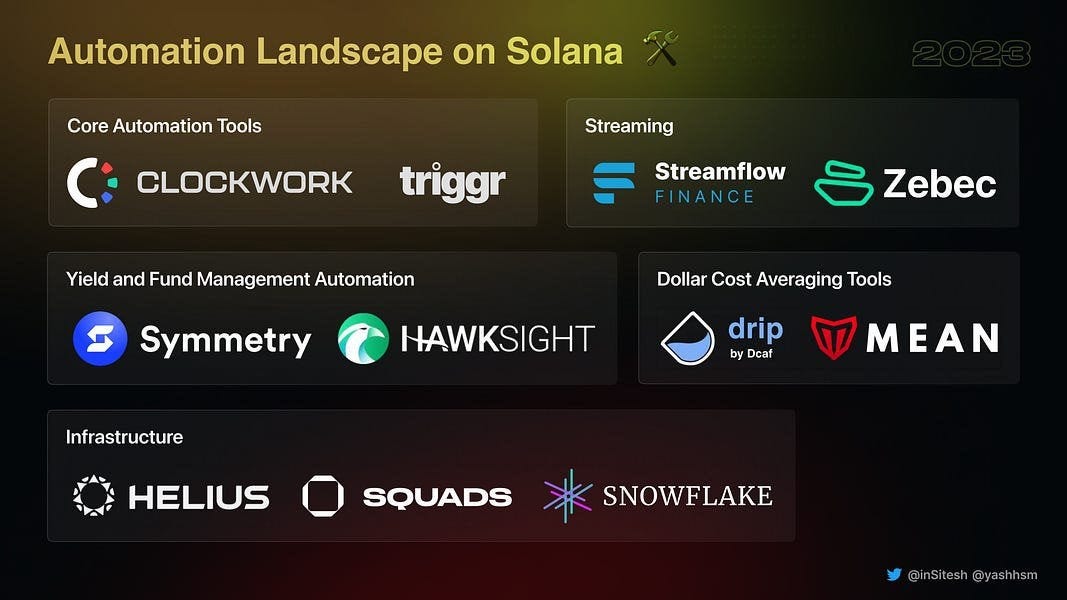
For developer automation, Helius webhooks remain active, and Hummingbot's current Gateway supports Solana router connectors including Jupiter and Titan. 3Commas users should note that v1 was deactivated September 11, 2026 and automation moved to v2.
Sources: Banana Gun, Hummingbot Gateway, 3Commas v2, and Jupiter Portfolio.