Solana's speed and low fees make it one of the best blockchains for trading and DeFi. They also make it one of the best blockchains for scammers.
In 2025 alone, crypto users lost over $2 billion to phishing attacks, rug pulls, and wallet drainers across all chains — and Solana was disproportionately hit. The combination of cheap transactions (making scam token deployments nearly free), a massive memecoin market, and a constant stream of new users creates perfect hunting grounds.
The attacks are not sophisticated. Most scams rely on the same handful of tricks repeated thousands of times. Once you know the playbook, you can spot them before you lose a single lamport.
This guide covers every major scam type active on Solana in 2026, how each one works mechanically, and exactly what to do to protect yourself.
You open your wallet and see tokens you never bought. Maybe it is called "FREE $500 CLAIM" or "Jupiter Airdrop V2" or something with a legitimate project's name attached. The token's metadata includes a URL.
How it works:
- Scammers deploy a token for fractions of a penny on Solana
- They airdrop it to thousands of wallets by sending tiny amounts
- The token name or metadata contains a URL like
claim-jupiter-airdrop.com
- You visit the site, which looks like a real project's interface
- The site asks you to connect your wallet and "claim" your airdrop by signing a transaction
- That transaction is actually an approval or transfer that drains your real tokens and SOL
How to spot them:
- You never signed up for or qualified for the airdrop
- The token appeared in your wallet without any action on your part
- The token name contains a URL or instructions (legitimate tokens never do this)
- The "claim" site asks you to sign a transaction rather than just checking eligibility
- The URL is a slight misspelling of a real project's domain
What to do: Ignore them completely. Do not visit the URL. Do not try to sell the token (some are designed to fail on sell, wasting your SOL on fees). Do not interact with them at all. They will sit in your wallet harmlessly as long as you never interact. If they bother you visually, Phantom and Solflare both let you hide tokens from your portfolio view. To tell these fakes apart from real distributions, our Solana airdrops guide for 2026 covers how to find and claim legitimate airdrops safely.
Wallet Drainer Sites
Drainer sites are the most dangerous active threat on Solana. They look identical to legitimate dApps — pixel-perfect clones of Jupiter, Raydium, Phantom's interface, or popular NFT marketplaces. The only difference is the URL and what happens when you sign.
How it works:
- Scammers clone a popular site's frontend (sometimes even scraping the live site in real time)
- They promote it via Google Ads, X posts, Discord messages, or SEO manipulation
- You connect your wallet, thinking you are on the real site
- The site presents a transaction that looks like a normal swap or approval
- The transaction actually transfers your tokens, SOL, and NFTs to the attacker's wallet
- Because you signed it with your private key, the blockchain considers it a valid, authorized transaction — there is no way to reverse it
How to spot them:
- Check the URL character by character.
jupiter-ag.com is not jup.ag. rayd1um.io is not raydium.io
- Bookmark the real URLs of every dApp you use and only access them via bookmarks
- Be suspicious of any dApp link shared in Discord, Telegram, or X replies
- Use Phantom's built-in transaction simulation — it will show you what a transaction actually does before you sign. If a "swap" transaction shows tokens leaving your wallet without receiving anything, reject it
- Never click "approve all" or sign transactions you do not fully understand
Key fact: Legitimate dApps will never ask you to sign a transaction during the connection step. The wallet connection itself should only request a signature to prove ownership (a message signature), not a transaction.
A honeypot token is one you can buy but cannot sell. The buying works perfectly — you swap SOL for the token on a DEX, the price chart looks normal, maybe it is even going up. But when you try to sell, the transaction fails every time.
How it works:
- The token contract includes code (or uses freeze authority) that blocks sell transactions from non-whitelisted wallets
- The developer's wallets are whitelisted, so they can sell whenever they want
- They buy from themselves to create fake volume and price action
- Other traders see the chart, buy in, and then discover they cannot sell
- The developer eventually sells their entire position, crashing the price on the trapped holders
How to check before buying:
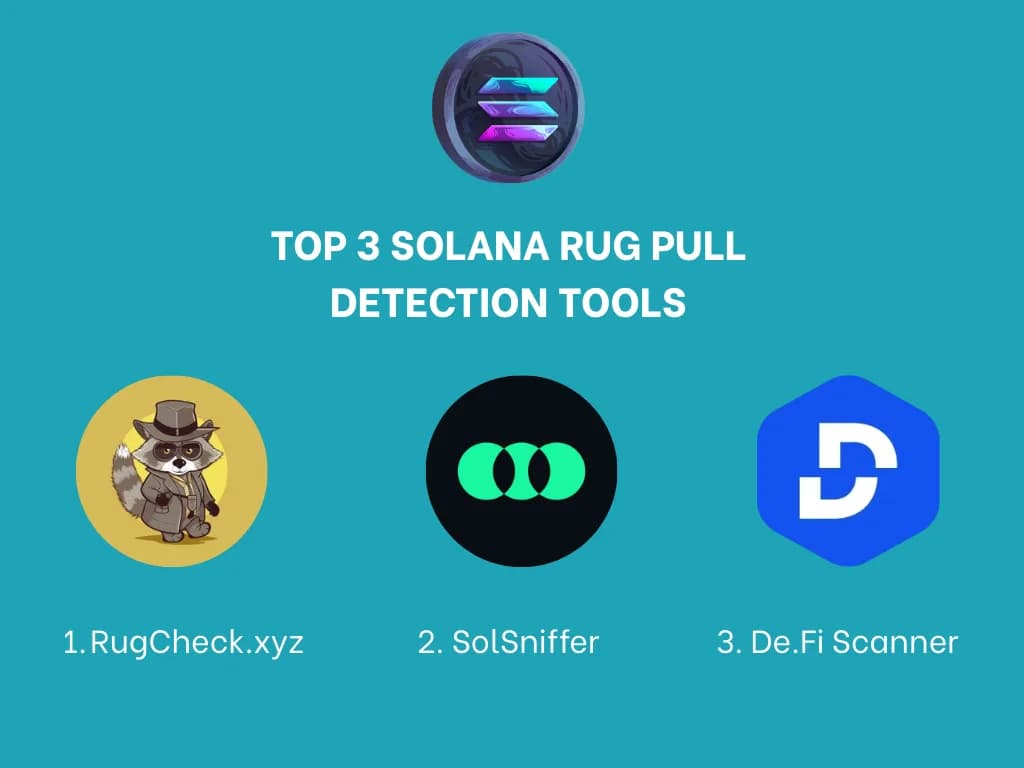
- Paste the token's contract address into RugCheck before buying — it specifically flags active freeze authority
- Check Solsniffer for a safety score — honeypots typically score below 30
- Look at the transaction history on a block explorer. If there are many buys but zero sells from non-creator wallets, it is a honeypot
- Check if freeze authority is revoked. If it is active, the creator can freeze your tokens at any time
- Look at the token age. Honeypots are usually less than a few hours old
For a deeper comparison of scanning tools, read our guide to RugCheck, Solsniffer, and De.Fi.
Social Engineering Attacks
These scams do not require any smart contract tricks — they exploit trust, urgency, and impersonation.
Fake Support DMs
You post a question in a project's Discord or Telegram. Within minutes, someone DMs you claiming to be "support" or a "moderator." They offer to help you fix your issue. The "fix" involves:
- Visiting a link that turns out to be a drainer site
- Sharing your screen while your seed phrase is visible
- Entering your seed phrase into a "validation tool"
- Installing a "wallet repair" app that is malware
The rule: No legitimate project's support team will ever DM you first. Ever. Disable DMs from server members in Discord. Ignore all unsolicited Telegram messages.
Impersonation on X
Fake accounts copy a real project's profile picture, name, and bio, then reply to legitimate posts with phishing links. They will announce fake airdrops, fake migrations, or "limited time" minting events. The accounts often have purchased followers and look legitimate at first glance.
How to spot: Check the handle carefully (not just the display name). Check the account age. Check whether the real project follows them. Verify any announcements by going to the official account directly — never trust links in replies.
Fake Giveaways
"Send 1 SOL, get 2 SOL back" or "Connect your wallet to claim your reward." These prey on greed and FOMO. No one is giving away free money. Not Solana Foundation, not Phantom, not any project. If it sounds too good to be true, it is a scam without exception.