How to Stream Real-Time Solana DEX Trades with WebSockets
Build a Solana DEX trade monitor on MadeOnSol's filtered WebSocket firehose. Covers the current permanent stream-token flow, 14 decoded programs across 8 venues, named subscriptions, replay, and production reconnects.
MadeOnSol··Updated · 9 min read
Disclosure: This article contains affiliate links. If you sign up through them, MadeOnSol may earn a commission at no extra cost to you. This never affects our rankings, ratings, or reviews.
Building a product on Solana or Robinhood Chain data?
Skip the Geyser pipeline — embed KOL flow, deployer reputation, and the all-DEX firehose over REST, WebSocket, or webhooks. The Business tier (€400/mo) is the self-serve embed license at 500k calls/day — Enterprise adds white-label & redistribution.
The server finishes with a replay_done frame describing how many matching frames were sent and whether the replay was complete.
Replay is a recovery aid, not a historical database. If your application needs durable trade history beyond the in-memory window, store the events you consume or use the relevant REST/history surface.
Step 7: build a production reconnect loop
The token is permanent; the socket is not. Reconnect after network failures and server restarts, and back off when the server tells you the connection limit is full.
Resetting backoff after a successful subscription acknowledgement is safer than resetting it on TCP open: a socket that opens but cannot subscribe is not healthy.
Step 8: combine the firehose with intelligence APIs
The firehose answers "what trade just happened?" It intentionally does not recompute every higher-order signal in the hot path.
Tools mentioned
Compare features and read reviews.
Live health scores, average ratings, and direct links on MadeOnSol.
Building a product on Solana or Robinhood Chain data?
MadeOnSol isn't an RPC or another generic token API — it's Solana & Robinhood Chain memecoin intelligence that's painful to build in-house, pulled from dual-region gRPC shred streams and our own Robinhood Chain node, pushed to your app as events land.
Signals you'd otherwise build
KOL & smart-money flow from 2,000+ labeled wallets, deployer reputation, coordination clusters, linked-wallet entity resolution, and an all-DEX firehose.
Embed it in your product
The Business tier (€400/mo, self-serve) licenses you to display MadeOnSol data inside your own product — 500k calls/day, 15 WS + 6 firehose connections. Enterprise above adds white-label & redistribution rights and custom endpoints.
Evaluate first, commit later
Test everything on a free ULTRA key — no commitment. If it fits, we scope volume or white-label pricing.
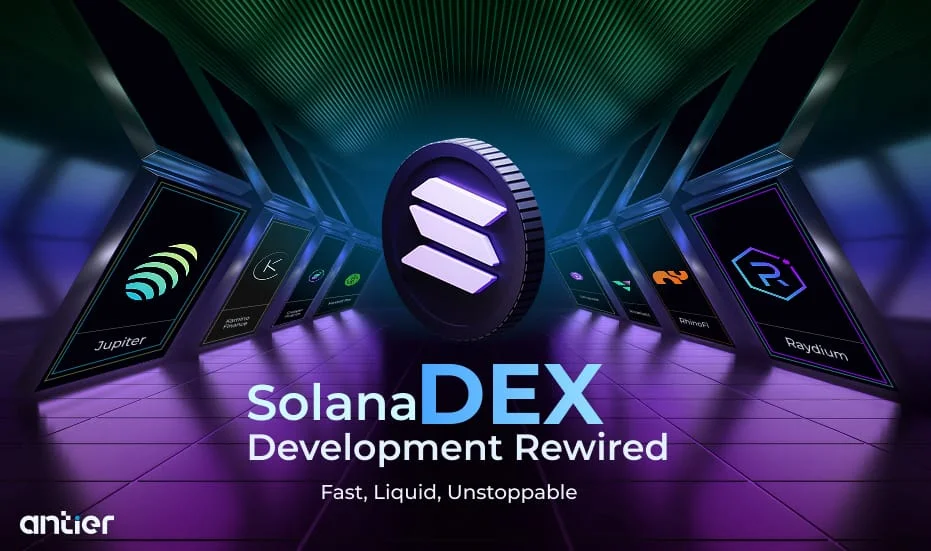
MadeOnSol's DEX firehose is a filtered WebSocket view of parsed Solana swaps. It currently decodes 14 program IDs across 8 venues — Pump.fun, PumpSwap, Raydium, Jupiter, Orca, Meteora, LaunchLab and Moonshot — so a client can consume normalized trade frames without running Yellowstone or maintaining a parser per venue.
Updated September 2026: this tutorial now matches the live firehose protocol. Stream tokens no longer expire, the socket must be authenticated with the stream token, trade frames use channel: "dex:trades", ULTRA and BUSINESS have DEX-firehose slots, and the service supports named subscriptions plus bounded replay.
an ULTRA or BUSINESS-class plan for the Solana DEX firehose
basic TypeScript/WebSocket knowledge
PRO has the main signal WebSocket but no DEX-firehose connection slots. ULTRA has 2 DEX connections; BUSINESS has 5. Enterprise inherits at least the Business floor unless its contract says otherwise.
Every delivered frame carries the matching sub_id, so dedupe keys should include the subscription identity when the same trade intentionally matches more than one view.
The service also supports updating, listing and removing named subscriptions. Keep your desired subscription set in application state so you can recreate it after reconnect.
A common architecture is:
DEX firehose
   ↓
cheap local filters
   ↓
interesting mint
   ↓
POST /api/v1/token/batch
or buyer-quality / deployer / KOL endpoints
   ↓
strategy decision
If several new mints arrive together, use the batch endpoints rather than issuing one REST call per mint. The batch-token guide explains the 50-mint request shape and the quota implications.
Optional views: route legs and liquidity events
The DEX stream has grown beyond the legacy one-trade-per-transaction frame.
For applications that need execution-path detail, subscriptions can opt into route/leg frames. For liquidity monitoring, liquidity: true adds dex:liquidity events and liquidity: "only" creates a liquidity-only subscription.
These are additive views of the same decoded transaction, not extra trades. If you use them for volume analytics, do not add leg events and the legacy dex:trades frame together or you will double-count the transaction.
The Free/BASIC plan has 200 REST requests/day but no paid WebSocket connection slot.
See the live pricing page for the current plan presentation.
FAQ
Does the firehose include every Solana transaction?
No. It is a DEX trade stream over the decoded program registry, not a general-purpose Solana transaction feed. The current registry is 14 program IDs across 8 venues.
Is the stream confirmed or processed?
Treat the firehose as a low-latency live feed rather than a finality guarantee. Strategy code that moves money should define its own confirmation/finality policy instead of inferring it from a marketing latency number.
Can I subscribe to several filters at once?
Yes. Use named subscriptions (sub_id) when the views are independent. One connection can hold up to 10 DEX subscriptions. A single subscription can also combine several filters, which are evaluated together.
Does the stream include symbols and names?
No guarantee. The stable trade identity is the mint address. Resolve display metadata separately and cache it.
Do I need to refresh the stream token every 24 hours?
No. That behavior was retired on August 27, 2026. The token has no scheduled expiry; reconnect the socket when necessary and fetch the current token again during reconnect.
The production rule is simple: authenticate with the stream token, subscribe narrowly, treat the wire schema as the contract, and make reconnect/replay part of the client from day one.