Perpetual futures (perps) let you trade with leverage without an expiration date. On Solana, you can go long or short on dozens of tokens with up to 100x leverage — all on-chain, no KYC, and with sub-second execution. This guide walks you through everything you need to know to place your first perp trade on Solana.
What Are Perpetual Futures?
A perpetual future is a derivative contract that tracks the price of an asset without ever expiring. Unlike traditional futures that settle on a specific date, perps run indefinitely as long as you maintain your position.
Key concepts:
Leverage: Trade with more capital than you deposit. 10x leverage means a $100 deposit controls a $1,000 position. Your gains and losses are amplified by the same factor.
Long vs Short: Go long if you think the price will increase. Go short if you think it will decrease. Perps make it equally easy to profit from both directions.
Margin: The collateral you deposit to open a position. On Solana perp protocols, this is typically USDC, SOL, or other supported tokens.
Liquidation: If your position moves against you enough that your margin can't cover the loss, the protocol automatically closes your position. This protects the system but means you lose most or all of your margin.
Funding rate: A periodic payment between longs and shorts that keeps the perp price close to the spot price. If more traders are long, longs pay shorts. If more traders are short, shorts pay longs. Funding is typically settled every hour on Solana protocols.
Solana Perp Protocols Overview
There are four protocols covered below, but the Solana perps landscape has shifted a lot since this guide was first published: Drift was hacked for ~$285-295M in April 2026 and rebuilt under a new name, Zeta Markets' original exchange no longer exists, and Flash Trade is in the middle of shutting down. Read the per-protocol notes before you pick one.
Drift Protocol (now Velocity DEX)
Drift was the largest perp DEX on Solana by open interest until an April 2026 exploit drained roughly $285-295M from the protocol. The team rebranded to Velocity DEX on July 1, 2026 and relaunched at app.velocity.exchange as a narrower, perpetuals-only venue backed by a $127.5M Tether credit line — spot trading has been dropped from the rebuilt program, and settlement moved from USDC to USDT.
- Model: Hybrid order book + virtual AMM (vAMM)
- Markets: 30+ perpetual markets (pre-rebrand figure)
- Leverage: Up to 20x
- Collateral: USDT (post-rebrand; the legacy version ran on USDC, SOL, mSOL, JitoSOL)
- Extra features: Lending/borrowing remains; spot trading, prediction markets, and insurance fund staking are gone from the rebuilt program
The hybrid model itself is unchanged: your order first tries to match against other traders' limit orders (the order book). If there's no match, it fills against the vAMM at an algorithmically-determined price. This provides good liquidity even in less popular markets.
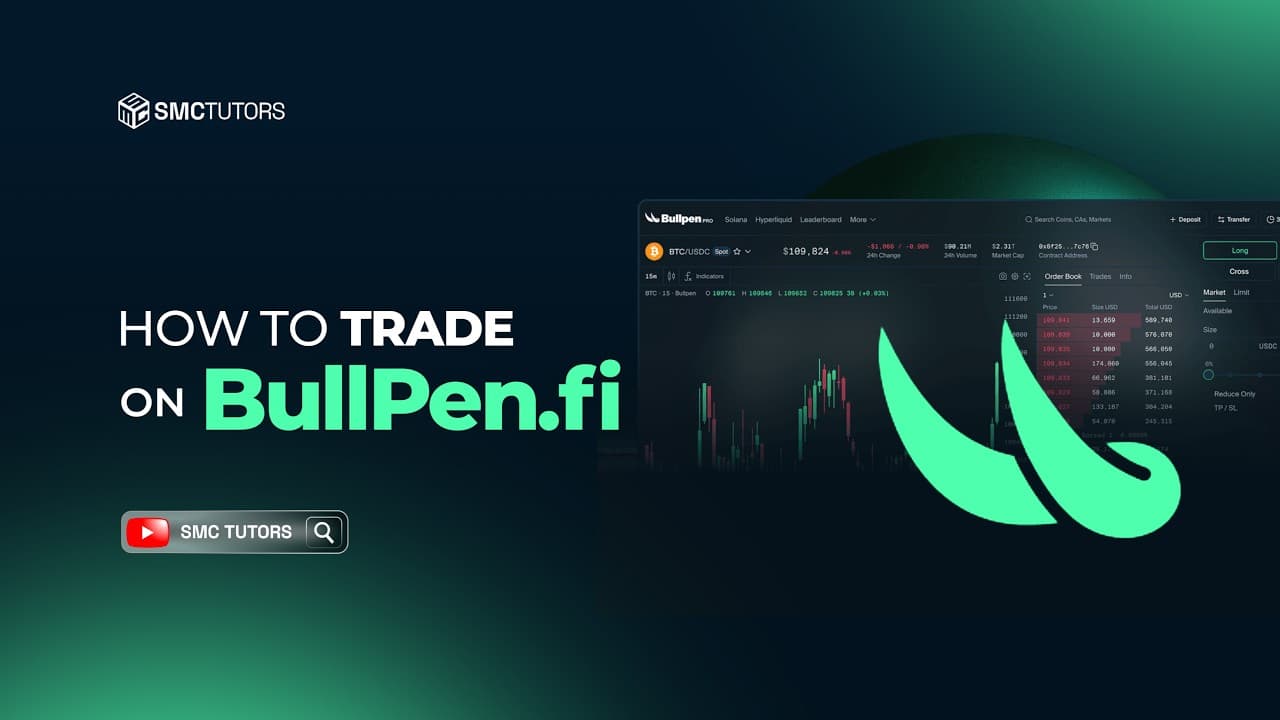
Zeta Markets — now Bullet
Zeta Markets shut down its on-chain central limit order book (CLOB) on May 1, 2025 to rebuild as Bullet, a Solana-specific Layer 2 built for trading (spot, perps, and multi-collateral margin in one venue, sub-2ms execution target). The standalone Zeta CLOB described below no longer exists — this is what it used to run:
- Model (legacy): On-chain order book (no AMM component)
- Markets: 20+ perpetual markets (legacy figure)
- Leverage: Up to 20x
- Collateral: USDC primarily
- Extra features: Clean interface focused on the trading experience
Zeta's pure order book model matched trades directly between counterparties, which could give better pricing for limit orders but wider spreads on less liquid pairs. That matching logic now lives inside Bullet rather than as a standalone Zeta product.
Flash Trade — winding down
Flash Trade used an oracle-based model, but the team announced in August 2026 that it would wind down unless it found a buyer for its tech stack, brand, and IP — no buyer materialized. The platform moved to close-only mode on August 31, 2026, force-closed remaining open positions on September 2, and scheduled a final force withdrawal for around September 15, 2026. Treat it as no longer a live trading option; the description below is historical:
- Model: Oracle-based pricing (trades execute at oracle price)
- Markets: 15+ perpetual markets
- Leverage: Up to 100x
- Collateral: USDC, SOL
- Extra features: Zero price impact on entries and exits
Flash Trade's oracle model meant your trade executed at the current oracle price regardless of position size, with no slippage from order book depth or AMM curves — great for larger positions, provided you trusted the oracle feed accuracy.
Adrena
Adrena is a newer perp protocol focused on a streamlined trading experience.
- Model: Pool-based with oracle pricing
- Markets: Growing list of major pairs
- Leverage: Up to 100x
- Collateral: Multiple tokens supported
- Extra features: Community-focused with incentive programs
Step-by-Step: Your First Perp Trade
The mechanics below (connect wallet, deposit collateral, open a position, monitor, close) apply to any of the protocols above. We use Drift/Velocity as the walkthrough since it's historically the most familiar, but note the app now lives at app.velocity.exchange and settles in USDT rather than USDC following the July 2026 rebrand — adjust the wallet-funding and deposit steps accordingly if you're using the rebuilt platform.
Step 1: Set Up Your Wallet
You need a Solana wallet with funds. Phantom is the most popular choice.
- Install Phantom from phantom.app
- Create or import a wallet
- Fund it with SOL (for transaction fees) and USDC or USDT (for margin, depending on the protocol)
- You need at least 0.05 SOL for gas and whatever amount of margin currency you want to trade with
Step 2: Connect to the Protocol
- Go to the protocol's app (e.g. app.velocity.exchange for the rebuilt Drift)
- Click "Connect Wallet" and select Phantom
- Approve the connection in your wallet
Step 3: Deposit Collateral
Before trading perps, you need to deposit collateral into your account on the protocol.
- Click "Deposit" in the top navigation
- Select the supported margin asset (USDT on the rebuilt Drift/Velocity; USDC or SOL on most others)
- Enter the amount — start small, perhaps $50-100 for your first trade
- Confirm the transaction in your wallet
Your deposited funds appear in your account balance on the protocol. This is your available margin.
Step 4: Open a Perpetual Position
-
Navigate to the "Perp" tab
-
Select your market — SOL-PERP is a good starting point
-
Choose your direction:
- Long if you think SOL price will go up
- Short if you think SOL price will go down
-
Set your position parameters:
- Order type: Market (executes immediately) or Limit (executes at your price)
- Size: The notional value of your position (e.g., $500)
- Leverage: Start with 2-3x maximum as a beginner
-
Review the details shown:
- Entry price: The estimated fill price
- Liquidation price: The price at which your position gets forcibly closed
- Fees: Trading fee for opening the position
- Margin required: How much of your deposit is locked as collateral
-
Click "Open Long" or "Open Short"
-
Confirm the transaction in Phantom
Step 5: Monitor Your Position
Once open, your position appears in the "Positions" tab at the bottom of the screen. You'll see:
- Unrealized PnL: Your current profit or loss
- Entry price: Where you entered
- Mark price: Current market price
- Liquidation price: Where your position gets closed automatically
- Funding: Accumulated funding payments (positive or negative)
Step 6: Close Your Position
When you're ready to exit:
- Find your position in the Positions tab
- Click "Close" for a market close at current price
- Or set a limit close order at a specific price
- Confirm the transaction
Your realized PnL (profit or loss) is added to or subtracted from your account balance on the protocol.