How to Use Jupiter Limit Orders: Set and Forget Trading on Solana (2026)
Step-by-step guide to using Jupiter limit orders on Solana. Learn how to set buy and sell orders, configure expiration and partial fills, avoid common mistakes, and combine limit orders with DCA for better execution.
MadeOnSol··Updated · 10 min read
Disclosure: This article contains affiliate links. If you sign up through them, MadeOnSol may earn a commission at no extra cost to you. This never affects our rankings, ratings, or reviews.
You ape into a memecoin and want predefined exit points instead of watching the chart in panic.
Setup (after buying a memecoin at 500K market cap):
Sell 30% at 2M market cap (4x, recoup initial + profit)
Sell 30% at 5M market cap (10x)
Sell 20% at 10M market cap (20x)
Hold 20% (infinite upside moonbag)
Set these limit sells immediately after buying. Don't wait until the price is moving — by then, emotions take over. Note: for very low-cap tokens, check that Jupiter supports limit orders for that pair. Some extremely new or illiquid tokens may not be supported.
Tools mentioned
Compare features and read reviews.
Live health scores, average ratings, and direct links on MadeOnSol.
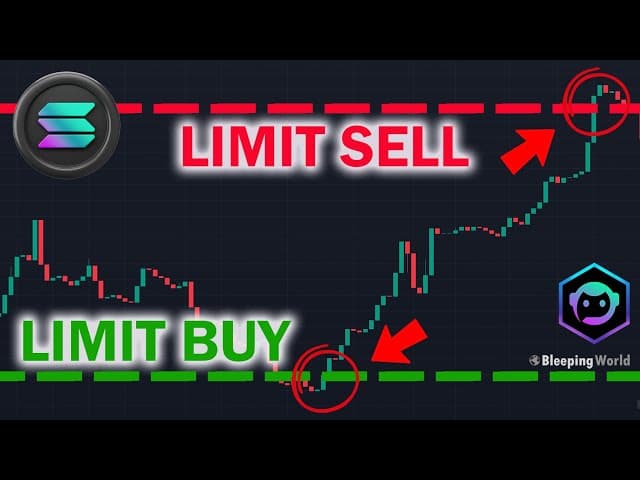
Market orders fill instantly but at whatever price the market gives you. Limit orders let you name your price and wait. On Solana, Jupiter limit orders are the most powerful tool for patient traders who want to buy dips and sell at targets without sitting in front of a screen all day.
Unlike centralized exchange limit orders, Jupiter limit orders execute on-chain through keeper bots that monitor your order and fill it when the market hits your price. They work 24/7, don't require you to be online, and are immune to sandwich attacks because they execute at a fixed price — not a market-determined price.
This guide walks through everything: setup, execution, strategy, and the edge cases that trip people up.
A naming note: Jupiter has renamed this feature "Trigger Orders" in its UI, API, and docs — the "Limit" tab on jup.ag is now labeled "Trigger." The mechanics described below (escrow, keeper bots, price-or-better fills) are unchanged; only the label moved.
How Jupiter Limit Orders Work
Traditional DEX swaps are market orders — you get whatever price is available at the moment of execution. Jupiter limit orders work differently:
You create an order: Specify the token pair, amount, and target price
Your tokens are escrowed: The tokens you're selling are locked in a smart contract
Keeper bots monitor: Automated keepers continuously check if market conditions match your order
Execution: When the market price reaches your limit, a keeper bot fills your order on the best available DEX (Raydium, Orca, Meteora, etc.)
Settlement: You receive the tokens at your specified price (or better)
Key point: Limit orders on Jupiter can get filled at a BETTER price than your limit, but never worse. If you set a buy limit at $150 SOL and the price drops to $148 before your order fills, you might get filled at $148.
Step-by-Step: Setting Your First Limit Order
Step 1: Connect to Jupiter
Go to jup.ag and connect your Solana wallet (Phantom or Solflare recommended). Click on the "Trigger" tab at the top of the swap interface (Jupiter's current label for what it used to call "Limit").
Step 2: Select Token Pair
Choose the tokens you want to trade. The top token is what you're selling, and the bottom is what you're buying. For example:
Selling: USDC
Buying: SOL
This means you want to buy SOL with USDC at a specific price
Step 3: Set Your Price
Enter your target price. Jupiter shows the current market price for reference. Your limit price should be:
Below market if you're buying (you want a cheaper entry)
Above market if you're selling (you want a higher exit)
Example: SOL is currently at $160. You want to buy on a dip. Set your limit buy at $150. Your order will only execute if SOL drops to $150 or below.
Step 4: Enter Amount
Specify how many tokens you want to sell (your input amount). Jupiter will show you how many tokens you'll receive based on your limit price.
Never — order stays open until filled or cancelled
1 day, 3 days, 7 days, 30 days — order auto-cancels if not filled within this period
Recommendation: For most traders, 7-day or 30-day expiration works well. "Never" expiration is fine for long-term targets, but remember to clean up stale orders periodically.
Step 6: Review and Submit
Review the order summary:
Token pair
Limit price
Amount
Expiration
Estimated output
Click "Place Limit Order" and approve the transaction in your wallet. Your tokens are now escrowed and the order is live.
Managing Your Orders
Viewing Active Orders
On the Jupiter limit order page, scroll down to see your "Open Orders" section. Each order shows:
Token pair and direction
Limit price
Amount filled / total amount
Expiration date
Status (Open, Partially Filled, Completed, Expired, Cancelled)
Partial Fills
Jupiter limit orders support partial fills. If you place a 100 USDC buy order and only 60 USDC worth of liquidity is available at your price, 60 USDC fills immediately and 40 USDC remains as an open order. This is a feature, not a bug — it means you capture available liquidity without waiting for a single large fill.
Cancelling Orders
You can cancel any open order at any time. The escrowed tokens (or partially unfilled remainder) return to your wallet. Cancellation requires a small Solana transaction fee.
Important: If your order is partially filled and you cancel, you receive both the tokens from the filled portion and the escrowed tokens from the unfilled portion.
Strategy 5: Combine with DCA
Jupiter's DCA (Dollar-Cost Averaging) feature splits a purchase over time at market prices. Limit orders buy at specific prices. Combining both:
DCA: Allocate 50% of your budget to DCA into SOL over 7 days (ensures you accumulate regardless of price action)
Limit orders: Place the other 50% as limit buys at key support levels (captures discounts if dips happen)
This hybrid approach guarantees you accumulate while giving you a chance at better prices. For a complete DCA walkthrough, see our DCA on Solana guide.
Common Mistakes to Avoid
Mistake 1: Setting Limits Too Aggressively
If SOL is at $160 and you set a buy at $100, your order might never fill. Be realistic about price movements. Check recent support levels on Birdeye or DEXScreener before setting targets.
Mistake 2: Forgetting About Open Orders
You set a limit buy for Token X at $1.00, forget about it, Token X drops to $1.00 and fills — but by then the project has fundamental problems and keeps dropping. Periodically review your open orders and cancel any that no longer match your thesis.
Mistake 3: Not Accounting for Slippage on Low-Liquidity Tokens
For high-liquidity pairs (SOL/USDC, JTO/USDC), limit orders execute cleanly. For low-liquidity memecoins, the keeper bot might not find enough liquidity at your exact price, and the order won't fill even if the chart briefly touches your level. For illiquid tokens, consider using trading bots like Photon which have more aggressive execution mechanisms.
Mistake 4: Setting Sell Limits Too Close to Current Price
If you set a sell limit 2% above market on a volatile token, it might fill on normal volatility rather than a genuine move. Give your targets room — 10%+ for major tokens, 50%+ for memecoins.
Mistake 5: All-or-Nothing Orders
Putting your entire exit at one price is risky. If the price touches your level and immediately reverses, you either sell everything at one point or miss the exit entirely. Tiered orders reduce this risk.
Jupiter's main advantage: access to every SPL token (including memecoins) without KYC. CEX advantage: more order types (stop losses, OCO) and deeper liquidity on major pairs. If keeping trades KYC-free is the goal, our guide on how to swap crypto without KYC using ChangeNOW and DEXs covers the options that actually work.
Advanced: Automating Limit Orders
For traders who want to programmatically create and manage limit orders, Jupiter provides an API and SDK. This is useful for:
Bots that automatically set limit orders based on technical indicators
Market-making strategies across multiple token pairs
The Jupiter Trigger API documentation (formerly the Limit Order API) is available at dev.jup.ag. You'll need familiarity with TypeScript and Solana transactions to use it.
Once you're comfortable with the basics covered here, our guide to advanced Solana limit order strategies goes further — scaled entries, TWAP execution, and conditional triggers you can layer on top of a simple buy-the-dip or take-profit order.
Final Thoughts
Jupiter limit orders are the single most underused feature in Solana trading. Most traders market-buy in FOMO and market-sell in panic. Limit orders impose discipline — you define your entry and exit before emotions get involved.
The setup takes two minutes. The benefit is 24/7 execution at your target prices while you sleep, work, or touch grass. Start with one limit buy on a token you want to accumulate and one limit sell on a position you want to exit. Once you see how effortlessly they execute, you'll wonder why you ever relied solely on market orders.
For more on Jupiter's full feature set, read our Jupiter exchange guide. For stop-loss strategies (not natively supported by Jupiter but available through trading bots), see our stop-loss guide.
September 2026 refresh
Jupiter now calls this product Trigger Orders, not simply Limit Orders. The core behavior remains: you define a target price and order parameters and the order executes through Jupiter's current order infrastructure when fill conditions are met. Jupiter's broader execution stack has changed substantially in 2026, so avoid assuming the old router/keeper implementation is permanent; follow the live Trigger UI/API docs when automating orders.
Source: Jupiter and current Jupiter developer documentation.